

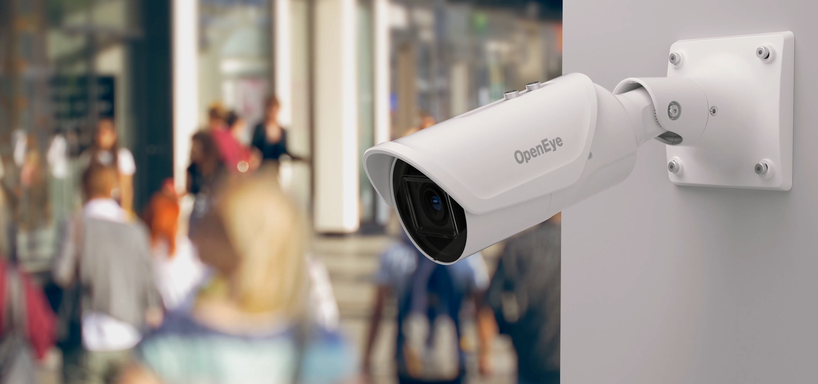
San Antonio’s commercial office market spans a wide range of property types, from the professional towers and mixed-use office buildings in the downtown central business district and the Pearl District to the suburban office parks along US-281 north, Loop 1604, and the IH-10 West corridor. The security camera requirements across these office environments share a set of common functional objectives.
A San Antonio commercial office camera system must protect key physical assets including IT equipment, financial records, and high-value portable equipment in the shared office environment. It must document after-hours building entry events that occur outside the authorized access window of normal business operations. It must provide a sufficiently complete common area record to support investigation when workplace incidents, property disputes, or employee conduct issues arise. And it must do all of this in a way that the physical camera hardware integrates aesthetically with modern office environments rather than creating a surveillance atmosphere that affects employee experience.
The specific camera layout, hardware specification, and alert configuration decisions for a San Antonio office are driven by these functional requirements, not by a generic camera count per square foot formula.
Get a Free Office Camera Assessment in San Antonio
Nexlar Security designs camera systems for San Antonio commercial offices from downtown professional suites to suburban campus environments. Contact Nexlar at nexlar.com/contact or call (281) 407-0768
Optimizing Office Security Camera Layout for Key Assets and IT Servers
The starting point for a San Antonio office camera layout is a zone-by-zone analysis of what needs to be protected and what the camera needs to capture to support that protection.
IT server room coverage. The IT server room is the highest-priority camera coverage zone in most San Antonio commercial offices because it houses the infrastructure that stores business data, customer information, and operational systems. Camera coverage at the server room door entry captures who enters and exits, and when combined with access control on the server room door, creates a complete timestamped record of every server room access event.
For San Antonio offices where the IT server room is also used for network equipment storage, UPS systems, and backup media, the camera at the door entry covers the full access population rather than requiring a camera inside the server room itself, where camera footage of equipment labels, cable layouts, and screen displays may constitute sensitive information in its own right.
Records room and file storage coverage. Physical records rooms containing paper financial records, client files, HR documents, or legal materials are similarly high-priority camera coverage zones. Access to these areas should be documented both for security purposes and for the operational audit trail that some San Antonio businesses maintain for compliance with record handling policies.
Reception and entry lobby coverage. The reception area is the access control point between the public corridor and the private office space, and camera coverage here documents every visitor’s entry and exit. Combined with a front desk visitor log, camera footage of the reception area provides a complete visitor record that is invaluable when an incident or a dispute about who was in the office at a specific time arises.
Nexlar’s security cameras systems for San Antonio offices include zone-by-zone layout analysis as the first step of every commercial office camera project.
Low-Profile Dome Cameras for San Antonio Modern Workspaces
The aesthetic integration of camera hardware into modern San Antonio office environments is a legitimate and operationally significant consideration. An office that has made a deliberate investment in workspace design for employee experience should not install cameras that visually conflict with that design or that create a surveilled feeling in open-plan work areas.
Low-profile dome cameras from manufacturers including Axis, Hanwha Vision, and Bosch address this requirement. These cameras use a compact mini-dome form factor, typically 3 to 4 inches in diameter, that mounts flush with or recessed into the ceiling with a minimal visual footprint. Available in white, off-white, and custom finishes, these cameras are designed to complement rather than contrast with modern office ceiling finishes.
The low-profile form factor does not compromise camera performance. Current-generation mini-dome cameras provide 4MP to 8MP resolution, wide dynamic range processing for the high-contrast lighting conditions common in offices with large windows, and IR night vision for after-hours recording. These specifications are equivalent to or better than the performance of larger, more visually prominent camera housings.
For San Antonio offices in Class A professional buildings where tenant improvement standards are high, Nexlar specifies cameras and mounting solutions that can be installed with minimal visible hardware and wiring, maintaining the clean ceiling appearance that the office design calls for.
Mobile Motion Alerts for After-Hours Building Entry Detection
After-hours building entry detection is one of the most immediately actionable security functions of an office camera system for San Antonio commercial tenants. When an office is unoccupied, any motion detected by cameras in the space is either authorized personnel (cleaners, maintenance, after-hours workers) or unauthorized entry.
Modern IP camera systems and the VMS platforms they connect to support configurable motion detection zones that generate push notification alerts to designated individuals’ mobile devices when motion is detected in specified areas during configured time windows.
For a San Antonio office, this configuration works as follows. During business hours, motion detection alerts are suppressed because continuous motion throughout the day would generate unmanageable alert volumes. At the configured end-of-business time, the motion detection alert configuration activates. Any motion detected in the office during the overnight period generates an immediate push notification to the office manager or security coordinator’s smartphone, delivered through the VMS mobile app.
The notification includes the camera that detected the motion, the timestamp, and optionally a snapshot or clip of the detection event, allowing the recipient to assess the alert on their phone and determine whether the motion represents an authorized after-hours worker, a cleaning crew, or an unauthorized entry that warrants further response.
For San Antonio offices where authorized after-hours access is common (security staff, evening cleaners, early arrivals), the motion detection schedule can be configured with whitelisted credential events from the access control system: when an authorized credential is presented at the office door, the motion detection alert is suspended for a defined period before reactivating, reducing false alerts from authorized after-hours activity.
The integrated security approach at Nexlar covers how camera motion alerts, access control events, and alarm monitoring work together in San Antonio office security programs.
Camera Placement Privacy Compliance in San Antonio Offices
Texas does not have a comprehensive employee workplace privacy statute that categorically prohibits office video monitoring, but the general reasonable expectation of privacy standard applies to San Antonio offices in ways that affect camera placement decisions.
Cameras covering general office work areas, reception zones, server rooms, records rooms, and corridors are legally appropriate when camera monitoring is disclosed to employees in a written workplace policy. Cameras positioned to capture individual workstation screen contents, to monitor private areas such as restrooms or changing rooms, or to record attorney-client or medically confidential conversations in designated private spaces are inappropriate regardless of disclosure.
Nexlar includes a camera placement documentation memo with every San Antonio office camera installation that maps each camera position, its field of view, and the privacy rationale for its placement, supporting the written policy disclosure that best practice requires.
The commercial business security systems page at Nexlar covers the full range of San Antonio commercial office security services including camera systems, access control, and alarm monitoring.
Cost and Pricing for San Antonio Office Camera Installations
| Installation Scope | Estimated Cost Range |
|---|---|
| Small Office Suite (8 to 15 cameras) | $5,000 to $15,000 |
| Mid-Size Commercial Office (15 to 40 cameras) | $12,000 to $35,000 |
| Enterprise Multi-Floor Tenant (40 to 80 cameras) | $30,000 to $75,000 |
| Mobile Alert Configuration (per VMS user) | $300 to $800 |
| Cloud Video Management Subscription | $100 to $400 per month |