

Paging System vs Mass Notification System: Key Differences
Table of Contents
- What Is the Difference Between a Paging System and a Mass Notification System?
- How Each System Works
- Types of Paging Systems and Mass Notification Systems
- Key Benefits of Each System
- Drawbacks and Limitations of Each
- Which Industries Use Which — and Why
- How to Decide: Paging, Mass Notification, or Both?
- Detailed Feature Comparison Table
- Cost and Pricing Overview
- Frequently Asked Questions
- Conclusion
- References
Introduction
When a critical event happens at your facility — a fire alarm, an active threat, a severe weather warning — how confident are you that every single person in your building receives the alert in time?
This question is at the heart of the paging system versus mass notification system debate. Both technologies communicate urgent messages. Both are installed in commercial facilities across Texas. But they do it in very different ways, reach very different audiences, and serve very different purposes.
Confusing the two — or assuming one can fully replace the other — is a mistake that leaves real gaps in your emergency communication strategy. This guide from Nexlar Security gives you a clear, practical comparison so you can make the right decision for your Texas business in 2026.
📞 Protect Your People with the Right Communication System
Nexlar Security offers FREE on-site consultations to help Texas businesses choose and install the right emergency communication infrastructure. 👉 Book Your Free Site Survey Today
What Is the Difference Between a Paging System and a Mass Notification System?
The most important distinction is scope of reach and channel diversity.
A paging system delivers audio messages to speakers installed within a physical facility. Its reach is defined by where its speakers are located. People inside the building hear the page. People outside the building, working remotely, driving to the site, or out to lunch do not.
A mass notification system (MNS) delivers alerts across multiple communication channels simultaneously — SMS text messages, email, phone calls, mobile app push notifications, desktop computer alerts, digital signage, social media, and more. It is designed to reach people wherever they are, not just where the facility's speakers can reach them.
In simple terms: a paging system talks to the people inside your building. A mass notification system talks to everyone connected to your organization — regardless of where they are physically located.
Both systems have a critical role in commercial emergency communication. Understanding that role is what allows you to build a communication strategy with no gaps.
How Each System Works
How a Paging System Works
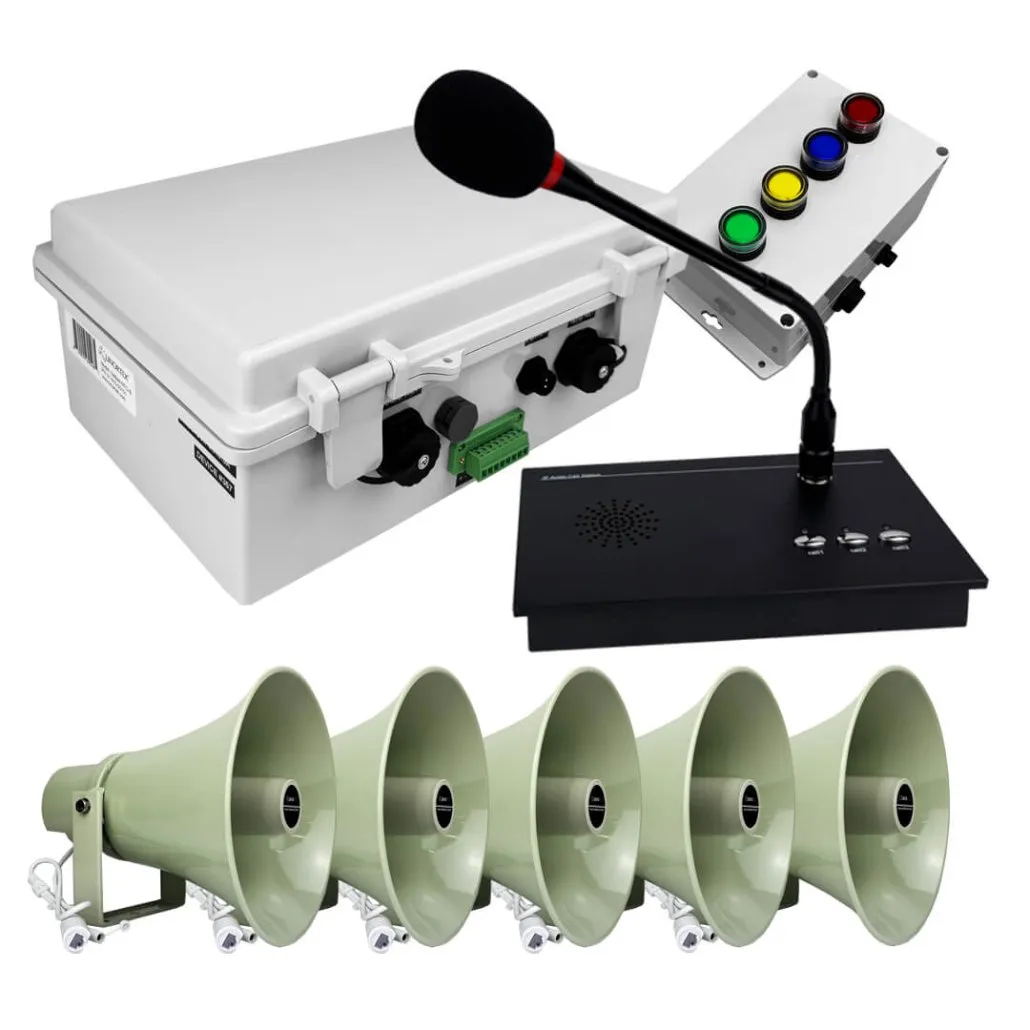
An operator or automated system initiates a broadcast through a microphone, software interface, or system-triggered event. The central controller processes and routes the audio signal to the designated zones or all speakers throughout the facility. Every person within audio range hears the message in real time through ceiling, wall, or outdoor speakers.
Modern IP paging systems can be triggered automatically by fire alarms, access control events, or scheduled protocols — making them a proactive part of your emergency response plan rather than a reactive tool. When combined with Nexlar's business security systems and access control platforms, a paging system becomes part of a fully coordinated security response.
How a Mass Notification System Works
When an event is detected or an administrator initiates an alert, the MNS platform pushes the message across all activated communication channels simultaneously. A single trigger can send an SMS to every employee's registered phone, push a notification to the organization's mobile app, send an email to a distribution list, broadcast an automated phone call, update digital signage throughout the facility, and post a social media alert — all within seconds.
Recipients can often acknowledge the alert within the MNS platform, allowing administrators to track who has received and confirmed the message in real time. Some MNS platforms allow two-way communication — enabling staff to respond with status updates during an incident.
Modern mass notification systems are cloud-based, which means they operate independently of your on-site infrastructure. Even if your building's power or network goes down, the MNS can still push alerts to mobile devices over cellular networks.
Types of Paging Systems and Mass Notification Systems
Paging System Types
Analog Overhead (PA) Systems — Central amplifier hardwired to ceiling speakers. Reliable for small, simple facilities. No network dependency. Limited scalability and no integration with modern platforms.
IP Paging Systems — Audio transmitted over your existing LAN. Scalable, remotely managed, and integrates with security systems, fire alarms, and access control. The preferred commercial paging solution in 2026.
Wireless Paging Systems — Transmits audio via RF or Wi-Fi. No dedicated cabling required. Ideal for outdoor environments or facilities where wiring is impractical.
Two-Way Paging Systems — Enables interactive communication alongside broadcast capability. Useful at security checkpoints and controlled entry points.
Mass Notification System Types
Cloud-Based MNS Platforms — The most common modern deployment. Fully hosted and managed in the cloud, delivering alerts via SMS, email, voice calls, and app notifications. Operates independently of on-site infrastructure.
On-Premise MNS — Installed on your own servers. Preferred by government agencies, critical infrastructure, and organizations with strict data sovereignty requirements. Operates without internet dependency for core functions.
Integrated Emergency Notification Systems — Advanced platforms that integrate with fire alarms, access control, weather monitoring services, and physical security systems to trigger automated multi-channel alerts based on real-world events. These overlap significantly with IP paging capabilities when both systems are integrated.
Outdoor Warning Systems — Large-scale MNS deployments used by municipalities and large campuses. Include outdoor sirens, variable message signs, and speaker towers alongside digital notification channels.
Unified Communication Platforms — Enterprise-grade platforms that combine internal communication tools (messaging, collaboration) with mass notification capability — allowing everyday communication and emergency alerting from the same platform.
Key Benefits of Each System
Benefits of a Paging System
Immediate In-Building Audio Coverage — Nothing reaches people inside a facility faster than an overhead speaker above their head. Audio paging delivers the message in real time, to every speaker in the targeted zone, without any action required from the recipient.
No Recipient Action Required — Unlike an SMS that someone must read or a phone call they must answer, a paged announcement plays automatically and immediately. In an emergency, this is critical.
Integration with Physical Security Systems — IP paging systems integrate directly with fire alarms, access control systems, and security cameras — creating automated, coordinated responses to physical security events within your facility.
Reliable In-Building Operation — Paging systems operate on your local infrastructure. They don't depend on internet connectivity or external servers to deliver in-building messages. Network resilience is built into the local architecture.
Operational Communication Beyond Emergencies — Paging systems serve daily operational needs: shift changes, staff coordination, customer service, and routine announcements. Mass notification systems are primarily emergency tools and are rarely used for everyday communication.
Benefits of a Mass Notification System
Reaches People Anywhere — MNS platforms reach employees, contractors, visitors, and stakeholders wherever they are — inside the building, in the parking lot, working remotely, or traveling. Physical location is irrelevant.
Multi-Channel Redundancy — Delivering the same alert across SMS, email, voice call, and push notification simultaneously maximizes the probability that every person receives and acts on the message — even if one channel fails.
Acknowledgment and Status Tracking — Administrators can see in real time which recipients have received, opened, and acknowledged the alert — enabling more informed incident management and post-event reporting.
Cloud Resilience — Because MNS platforms are cloud-hosted, they continue operating even if your facility loses power or network connectivity. Cellular networks carry alerts to mobile devices independently of your on-site infrastructure.
Compliance Support — Many industries face regulatory requirements for documented emergency notification processes. MNS platforms provide the audit trails, delivery confirmations, and reporting capabilities that compliance demands.
Drawbacks and Limitations of Each System
Paging System Limitations
Limited to Physical Facility Coverage — A paging system only reaches people who are within earshot of a speaker. People outside the building — even just in the parking lot — may not hear the announcement.
No Message Acknowledgment — Standard paging systems cannot confirm whether a message was heard, understood, or acted upon. In a complex emergency, this lack of two-way confirmation is a meaningful gap.
Requires Physical Infrastructure — Paging systems depend on your on-site equipment — speakers, amplifiers, network switches. A power outage or network failure can affect system performance without proper redundancy design.
No Off-Site Reach — Remote employees, off-site contractors, and people commuting to the facility cannot be reached by a paging system. For organizations with significant off-site staff, this is a critical limitation.
Mass Notification System Limitations
Depends on Recipients Having Registered Devices — An MNS is only as effective as its contact database. If employee phone numbers, email addresses, and app registrations aren't kept current, alerts miss the people who need them.
No In-Building Audio — An MNS sends a text or makes a phone call. It cannot broadcast an audio message through your facility's speakers. For in-building emergencies where immediate audio alerts are needed, a paging system is essential.
Recipient Must See or Hear the Notification — An SMS or email only helps if the recipient has their phone nearby and sees the message. In a loud industrial environment, a phone notification may go unnoticed where a paged speaker announcement would not.
Ongoing Subscription Costs — Most cloud-based MNS platforms charge per-user or per-message subscription fees. For large organizations, these costs add up significantly.
Internet Dependency for Delivery — While cloud MNS platforms are designed for resilience, cellular network congestion during a major regional emergency — when demand spikes simultaneously — can delay message delivery.
Which Industries Use Which — and Why
Warehouses and Distribution — Rely on paging for in-facility operational and safety communication. May add MNS for notifying management, security staff, and off-site personnel during serious incidents. Nexlar supports warehouse security systems with integrated paging capability.
Healthcare — Use paging extensively for code alerts and internal staff communication. Supplement with MNS for notifying administrators, on-call staff, and emergency management personnel during major incidents. Nexlar's healthcare security solutions address both.
Education — Schools and universities use paging for daily announcements and in-building emergency lockdowns, while MNS platforms notify parents, staff, and district administrators simultaneously during critical events. Nexlar's educational security systems incorporate both layers.
Government — Government facilities typically deploy both: paging for in-building personnel communication and MNS for multi-channel notification of staff, stakeholders, and public during incidents.
Corporate Campuses — Multi-building corporate environments benefit significantly from both systems — paging for building-by-building operational communication and MNS for reaching distributed workforces during emergencies.
Retail Chains — Individual stores rely on paging for in-store communication. Corporate-level MNS platforms notify store managers and district staff during region-wide events such as severe weather or active incidents.
How to Decide: Paging, Mass Notification, or Both?
Choose a Paging System If: Your primary communication need is in-building audio broadcasting — for both routine operational announcements and in-building emergency alerts. If everyone you need to reach is inside your facility and within speaker range, a paging system serves that need directly and reliably.
Choose a Mass Notification System If: You need to reach people beyond your facility's walls — remote workers, off-site staff, parents, students, or public audiences — across multiple communication channels simultaneously. If your emergency communication plan requires documented delivery confirmation or multi-channel redundancy, MNS is essential.
Choose Both If: You need reliable in-building audio communication for operations and emergencies (paging) AND the ability to reach people outside your facility across multiple channels with acknowledgment tracking (mass notification). For most mid-to-large Texas businesses — particularly in healthcare, education, and government — both systems serve complementary and non-overlapping roles.
The most resilient emergency communication strategies deploy both platforms, integrated together so a single trigger activates in-building audio paging AND multi-channel external notifications simultaneously.
Detailed Feature Comparison Table
| Feature | Paging System | Mass Notification System |
|---|---|---|
| Primary Use | In-building broadcast | Multi-channel reach anywhere |
| Communication Channel | Audio speakers | SMS, email, voice call, app, digital signs |
| Reaches Remote Staff | No | Yes |
| In-Building Audio | Yes | No |
| Recipient Action Required | No | Usually yes |
| Message Acknowledgment | No | Yes |
| Automated Triggering | Yes (IP systems) | Yes |
| Security System Integration | Yes | Partial |
| Cloud-Based Option | Yes (cloud-managed IP) | Yes |
| Works Without Internet | Yes (local network) | Limited |
| Compliance Reporting | Limited | Yes |
| Operational Daily Use | Yes | Rarely |
| Upfront Cost | Medium – High | Low – Medium (subscription) |
| Ongoing Cost | Low – Moderate | Per-user subscription |
Cost and Pricing Overview
Paging System Costs (Texas Commercial Installations)
| System Type | Estimated Range |
|---|---|
| Basic Analog (small facility) | $1,500 – $5,000 |
| Mid-Range IP Paging | $8,000 – $25,000 |
| Enterprise IP System | $25,000 – $75,000+ |
Mass Notification System Costs
| Platform Type | Estimated Cost |
|---|---|
| Cloud MNS (per user/year) | $3 – $15 per user annually |
| Small Organization (50 users) | $500 – $2,500 per year |
| Mid-Size Organization (500 users) | $2,500 – $10,000 per year |
| Enterprise (5,000+ users) | $20,000 – $100,000+ per year |
| On-Premise MNS Installation | $15,000 – $75,000+ |
The cost structures are fundamentally different: paging systems are a capital investment with lower ongoing costs, while MNS platforms typically operate on a subscription model. For most businesses, deploying both involves a hardware investment for paging and an ongoing subscription for mass notification.
💡 Build a Complete Emergency Communication Strategy
Nexlar Security designs integrated paging and communication systems for Texas businesses — ensuring both in-building and off-site alerting are covered within a unified, reliable framework. 👉 Schedule Your Free On-Site Consultation Today
Frequently Asked Questions
What is the difference between a paging system and a mass notification system?
A paging system delivers audio messages through speakers installed inside a facility, reaching everyone within the building simultaneously. A mass notification system delivers alerts across multiple digital channels — SMS, email, voice calls, push notifications — reaching people wherever they are, including outside the facility. Both serve important but distinct roles in commercial emergency communication.
Can a paging system replace a mass notification system?
No. A paging system can only reach people within earshot of its speakers. It cannot send SMS messages, emails, or push notifications to people outside the building. Conversely, a mass notification system cannot deliver in-building audio alerts. Both systems serve different and complementary communication needs.
What is a mass notification system used for?
A mass notification system is used to deliver urgent alerts to a large group of people across multiple communication channels simultaneously. Common use cases include emergency alerts, severe weather warnings, security incidents, school lockdowns, facility closures, and any situation where rapid, multi-channel notification of a distributed audience is required.
Do businesses really need both a paging system and a mass notification system?
For small businesses with simple in-building communication needs and no off-site staff, a paging system alone may be sufficient. For organizations with remote employees, multi-building campuses, compliance requirements, or responsibilities to notify people beyond the facility during emergencies — healthcare, education, government, corporate campuses — both systems serve distinct and essential roles.
Can a paging system and mass notification system be triggered simultaneously?
Yes. In advanced integrated deployments, a single event trigger — such as a fire alarm activation or security system alert — can simultaneously activate an in-building paging announcement and push multi-channel notifications to staff and stakeholders through the MNS platform. Nexlar designs integrated security and communication systems that support this level of coordinated response.
What industries are required to have mass notification systems?
Healthcare facilities, educational institutions, government buildings, and critical infrastructure operators are most commonly subject to regulatory requirements for documented multi-channel emergency notification. Many of these requirements are addressed by NFPA 72, OSHA emergency action plan standards, and sector-specific regulations.
How much does a combined paging and mass notification system cost?
A combined deployment typically involves a capital investment for the paging system ($5,000 to $75,000+ depending on facility size) plus an annual subscription for the MNS platform ($500 to $100,000+ per year depending on organization size). Nexlar provides detailed paging system quotes after a free on-site assessment. MNS platform recommendations are tailored to your organization's size and communication requirements.
Does Nexlar install mass notification systems?
Nexlar specializes in commercial paging systems, security cameras, access control, and integrated security solutions for Texas businesses. For MNS platform software, Nexlar can recommend compatible solutions and advise on integration with the paging and security infrastructure we install.
Conclusion: Two Systems, One Complete Strategy
The paging system versus mass notification system comparison ultimately isn't about choosing one over the other. It's about understanding that both systems address different gaps in your emergency and operational communication strategy — and that for most Texas businesses, both are part of a complete, resilient approach.
A paging system ensures everyone inside your facility receives critical audio alerts immediately, with no action required on their part. A mass notification system ensures everyone connected to your organization — regardless of physical location — receives the alert across every channel that can reach them.
Together, they close the communication gaps that neither system can address alone.
Nexlar Security helps Texas businesses design and install the paging and communication infrastructure that keeps their people informed and their facilities safe. With over 1,000 commercial installations completed across Houston, Dallas, San Antonio, Austin, Fort Worth, and San Marcos, our licensed team brings the expertise to design the right system for your specific situation.
Book your FREE on-site consultation today and take the first step toward a communication strategy that leaves no gaps and no one behind.
References
- Texas Department of Licensing and Regulation (TDLR) – Low Voltage Contractor Licensing
- NFPA 72 – National Fire Alarm and Signaling Code (2022 Edition), Chapter 24: Emergency Communication Systems
- OSHA 1910.165 – Employee Alarm Systems Standard
- FEMA – Integrated Public Alert and Warning System (IPAWS) Guidelines
- BICSI – Emergency Communication Systems Design Standards
- Nexlar Security – Business Security Systems: nexlar.com/commercial-business-security-systems-installer
- Nexlar Security – Integrated Security: nexlar.com/integrated-security
Follow Us