

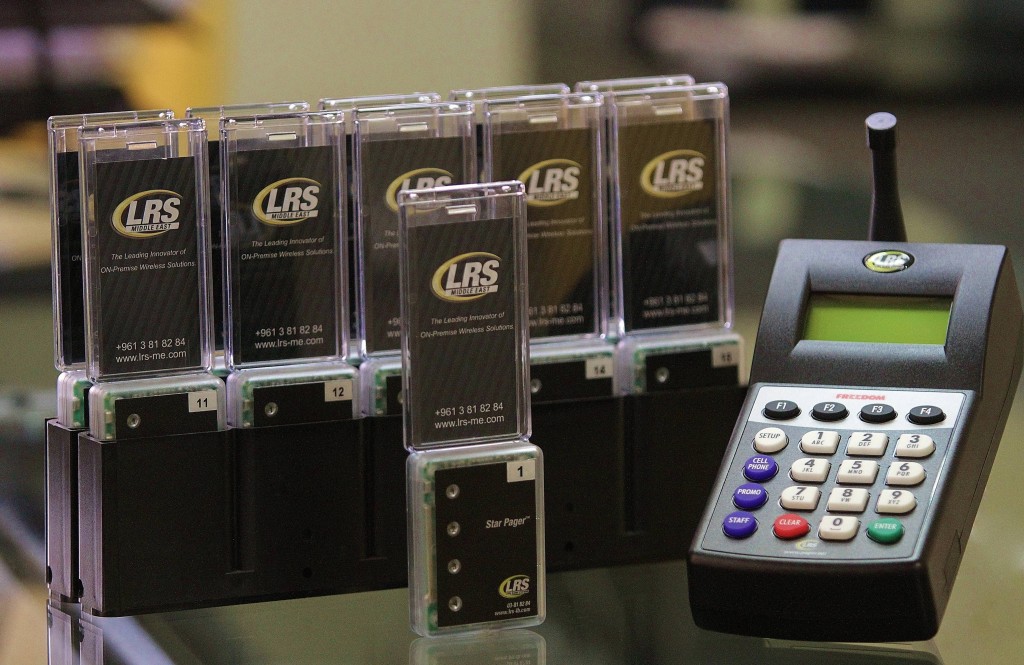
Paging System for Churches & Houses of Worship
Table of Contents
- Why Churches and Houses of Worship Need a Paging System
- How a Church Paging System Works
- Types of Paging Systems Used in Houses of Worship
- Key Benefits for Congregation Communication and Safety
- Drawbacks and Limitations to Consider
- Common Communication Scenarios for Churches
- How to Choose the Right Paging System for Your Campus
- Church Paging System Comparison Table
- Cost and Pricing for Church Installations
- Frequently Asked Questions
- Conclusion
- References
Introduction
A church campus is rarely just a sanctuary. It's a sanctuary, a children's wing, a youth building, a fellowship hall, classrooms, administrative offices, a kitchen, and often a parking lot or outdoor gathering space — sometimes spread across multiple buildings on the same property.
Coordinating staff, volunteers, and ministry leaders across all of these spaces — during a Sunday service, a midweek event, vacation Bible school, or a weekday office hours — requires reliable communication. And during an emergency, whether it's a medical situation in the children's wing or a severe weather warning during service, the ability to alert the entire campus instantly is not optional.
Yet many Texas churches are still relying on a single sanctuary sound system, a handful of walkie-talkies among volunteers, or no formal communication infrastructure at all outside the main worship space. This guide from Nexlar Security walks church administrators, facilities directors, and ministry safety teams through what a properly designed paging system looks like for a house of worship — covering communication, safety, and budget considerations for 2026.
📞 Get a Free Assessment for Your Church Campus
Nexlar Security offers FREE on-site consultations for Texas churches and houses of worship. Our licensed team designs paging and safety communication systems that fit your campus and your budget. 👉 Book Your Free Site Survey Today
Why Churches and Houses of Worship Need a Paging System
Houses of worship have communication needs that span both routine operations and emergency safety — often with limited staff and a heavy reliance on volunteers to manage a busy campus during services and events.
On a typical Sunday, staff and volunteers need to coordinate across the children's check-in area, the youth building, the parking team directing traffic, the sound booth managing the service, and the welcome center — often simultaneously and across separate buildings. A paging system that reaches every area of the campus reduces the dependency on radios, which require active monitoring, and personal phones, which aren't always on hand or appropriate to use during service.
On the safety side, churches face the same categories of emergencies as any other public facility — medical emergencies, severe weather, fire, and security incidents — but often with a unique challenge: large numbers of children in classrooms and nursery areas that are physically separate from the main sanctuary where most staff and security volunteers are present during service.
A paging system that connects the sanctuary, children's areas, youth spaces, administrative offices, and outdoor areas into a single communication platform — with the ability to broadcast immediately to the entire campus during an emergency — addresses both the daily operational reality and the safety responsibility that every church campus carries.
Nexlar designs paging and security systems as part of integrated security solutions for religious and community facilities across Texas, combining communication with access control and security cameras for a complete campus safety platform.
How a Church Paging System Works
A modern church paging system is built around an IP paging controller that connects ceiling and wall-mounted speakers throughout the campus — sanctuary, children's wing, youth building, classrooms, offices, fellowship hall, and outdoor areas — into independently addressable zones.
During a service, the sanctuary typically operates on its own audio system managed by the sound booth — and the paging system is configured to avoid interrupting the worship service except for genuine emergencies. Staff and volunteers in other areas of the campus — children's check-in, parking team, welcome center — can page each other or specific zones for operational coordination without affecting the sanctuary.
For emergency situations, a discreet alert can be sent to specific staff — for example, a coded announcement to security team members' phones or pagers — without alarming the congregation, while a full emergency broadcast capability remains available for situations that require immediate evacuation or lockdown across the entire campus.
Many church paging systems are configured to integrate with the sanctuary sound system for true campus-wide emergencies — allowing an emergency announcement to override the regular service audio when the situation requires it, while keeping that override reserved exclusively for genuine emergencies to avoid disrupting worship unnecessarily.
Scheduled announcements — service start reminders in the lobby and fellowship areas, children's check-in closing times, parking lot announcements before and after services — can be programmed to play automatically at designated times across the relevant zones.
Types of Paging Systems Used in Houses of Worship
IP Multi-Zone Paging Systems
The recommended approach for most Texas church campuses, particularly those with multiple buildings or a children's ministry separate from the main sanctuary. IP paging connects all campus buildings into a single managed platform, supports independent zones for sanctuary, classrooms, offices, and outdoor areas, and integrates with access control for children's check-in security and campus access management.
Sanctuary Sound System Integration
Most churches already have a sanctuary sound reinforcement system — separate from a facility paging system — managing worship service audio, music, and sermon amplification. A church paging system is typically designed to integrate with, rather than replace, this system: allowing emergency overrides when necessary while keeping day-to-day paging separate from the worship audio environment.
Analog Overhead Systems for Smaller Campuses
For smaller churches with a single building and straightforward communication needs, a basic analog overhead system connecting the lobby, classrooms, and offices provides functional paging capability at lower cost. Limited zone control and no remote management make this a practical choice mainly for single-building campuses with modest budgets.
Wireless Paging for Outdoor and Temporary Areas
Many churches use outdoor spaces for overflow parking direction, outdoor services, festivals, and seasonal events — areas where running permanent cabling isn't practical. Wireless paging speakers extend coverage to these areas for both routine event coordination and emergency communication during outdoor gatherings.
Integrated Children's Ministry Communication
Children's ministry areas have unique communication needs — paging specific classrooms for parent pickup notifications, coordinating check-in and check-out procedures, and ensuring immediate communication capability in case of a child-related emergency. IP paging systems with zone-specific addressing allow children's ministry staff to communicate within their area without disrupting the rest of the campus, while still maintaining campus-wide emergency broadcast capability when needed.
Key Benefits for Congregation Communication and Safety
Campus-Wide Coordination Without Disrupting Worship A properly zoned paging system allows staff and volunteers across the children's wing, youth building, parking team, and welcome areas to communicate operationally — without any of that communication reaching the sanctuary during a service.
Immediate Emergency Communication Across All Buildings When an emergency requires campus-wide notification — severe weather, security incident, medical emergency — a single trigger broadcasts to every building and zone simultaneously, ensuring that staff in the children's wing, the youth building, and the sanctuary all receive the same information at the same time.
Reduced Dependency on Radios for Volunteer Teams Volunteer teams — parking, greeting, children's check-in, security — can be paged directly to specific zones without requiring everyone to carry and actively monitor a radio. This is particularly valuable for churches that rely heavily on rotating volunteer teams who may not be trained on radio protocols.
Children's Ministry Safety Communication Zone-specific paging to children's classrooms allows staff to manage parent pickup, lost child situations, or classroom-specific needs quickly — while a campus-wide emergency trigger ensures that if a serious situation arises, every classroom and staff member is alerted immediately.
Integration with Campus Security Systems When the paging system connects with Nexlar's access control systems — managing children's ministry check-in security and building access — and security cameras monitoring campus activity, the church has a unified safety platform that supports both Sunday operations and weekday office security.
Scheduled Announcements for Recurring Events Service time reminders, children's check-in closing announcements, and parking lot guidance can be scheduled to play automatically — reducing the burden on volunteers to manually manage these routine announcements every week.
Drawbacks and Limitations to Consider
Budget Constraints Common to Nonprofit Organizations Many churches operate with limited capital budgets, and a comprehensive multi-building paging system represents a significant investment relative to typical facility budgets. Phased implementation — starting with the highest-priority safety zones and expanding over time — is a common and practical approach.
Volunteer-Based Operation Requires Simple Systems Because much of a church's day-to-day operation relies on rotating volunteers rather than dedicated facilities staff, the paging system's interface and operation must be simple enough for volunteers to use correctly with minimal training — particularly for emergency triggers, which must work reliably regardless of who is on duty that week.
Coordinating with Existing Sanctuary Audio Systems Integrating a facility paging system with an existing sanctuary sound system requires careful coordination to ensure emergency overrides work correctly without interfering with the sound system's normal operation during services. This integration should be designed and tested by an installer experienced with both systems.
Older Buildings and Additions Many church campuses have been built in phases over decades, often with additions and renovated spaces that weren't designed with structured cabling in mind. Extending an IP paging system to older portions of the campus may require a combination of wired and wireless solutions depending on existing infrastructure.
Common Communication Scenarios for Churches
Children's Ministry Parent Pickup A parent arrives at the children's check-in desk to pick up their child. Staff page the specific classroom directly to bring the child to the pickup area — without broadcasting to the entire children's wing or disrupting other classrooms.
Severe Weather Alert During Service A tornado warning is issued for the area during a Sunday service. The campus safety team triggers a pre-programmed severe weather announcement that broadcasts to the sanctuary, children's wing, youth building, and all other zones simultaneously — directing everyone to designated shelter areas.
Medical Emergency in the Sanctuary A medical situation occurs during service. A discreet page to designated medical response volunteers — without alerting the broader congregation — brings trained responders to the location quickly while minimizing disruption to the service.
Parking Team Coordination Before and after services, the parking team coordinates traffic flow using paging to communicate between different parking areas and entrance points — particularly useful for large campuses with multiple parking lots and entrances.
Midweek Office and Ministry Communication During the work week, church staff in administrative offices, ministry program areas, and facilities use the paging system for routine office communication — separate from the Sunday service configuration.
Vacation Bible School and Special Events During VBS, youth camps, or special events, temporary zone configurations and wireless speakers extend coverage to areas used only during these events — supporting safety communication for the large numbers of children and volunteers involved.
How to Choose the Right Paging System for Your Campus
Map Your Entire Campus, Not Just the Sanctuary Identify every building, classroom area, office space, and outdoor area that should be part of your communication system. Many churches focus initial planning on the sanctuary and overlook the children's wing, youth building, and outdoor areas — exactly the areas where independent communication and emergency alerting matter most.
Define Your Emergency Communication Requirements First Before considering routine operational features, define what your emergency communication needs to accomplish — campus-wide alerts, severe weather protocols, lockdown procedures, and discreet alerts for security or medical teams. These requirements should drive the core system design.
Plan for Volunteer Usability Any staff member or volunteer on duty — not just full-time facilities staff — should be able to trigger an emergency announcement correctly. Design the system with clearly labeled, simple emergency triggers and provide training to rotating volunteer teams as part of the implementation.
Coordinate with Your Sanctuary Sound System Work with an installer who can assess your existing sanctuary audio system and design the paging integration so that emergency overrides function correctly without interfering with normal sound system operation.
Consider Phased Implementation if Budget Is a Constraint If a full campus-wide system isn't immediately affordable, prioritize the zones with the highest safety value — children's ministry areas and emergency broadcast capability to the sanctuary — and plan for expansion to additional buildings and outdoor areas in future phases.
Work with a Licensed Installer Experienced with Multi-Building Campuses Church campuses often have the complexity of a small commercial campus — multiple buildings, varying construction eras, and diverse space types. Nexlar Security holds Texas Low Voltage License# B14634 and has experience designing communication systems for multi-building community and religious facilities across Texas.
Church Paging System Comparison Table
| Feature | Basic Analog (Single Building) | IP Multi-Zone (Multi-Building) | IP + Sanctuary Integration |
|---|---|---|---|
| Multi-Building Coverage | Limited | Yes | Yes |
| Campus-Wide Emergency Broadcast | Basic | Yes | Yes |
| Sanctuary Audio Integration | No | Partial | Yes |
| Children's Ministry Zone Control | Limited | Yes | Yes |
| Outdoor / Wireless Coverage | No | Yes (add-on) | Yes (add-on) |
| Scheduled Announcements | No | Yes | Yes |
| Remote Management | No | Yes | Yes |
| Access Control Integration | No | Yes | Yes |
| Upfront Cost | Low | Medium | Medium – High |
| Best For | Small single-building churches | Multi-building campuses | Campuses with formal sound systems |
Cost and Pricing for Church Installations
| Campus Type | Recommended System | Estimated Cost Range |
|---|---|---|
| Small Single-Building Church | Basic Analog or Entry IP | $2,000 – $7,000 |
| Mid-Size Multi-Building Campus | IP Multi-Zone | $8,000 – $25,000 |
| Large Campus with Children's Wing & Youth Building | IP Multi-Zone + Sanctuary Integration | $20,000 – $50,000 |
| Large Multi-Campus Ministry | Cloud-Managed IP | Custom — contact Nexlar |
These estimates include speakers, IP controllers, zone configuration, and installation labor for the building areas covered. Sanctuary sound system integration, outdoor wireless coverage, and access control integration for children's ministry areas may affect final project cost. Nexlar provides itemized quotes after every free on-site campus assessment.
💡 Build a Communication System That Serves Your Whole Campus
Nexlar designs paging and safety communication systems for Texas churches — connecting the sanctuary, children's ministry, youth spaces, and outdoor areas into one reliable platform. 👉 Schedule Your Free On-Site Survey Today
Frequently Asked Questions
Q: What is a paging system for a church used for?
A: A paging system for a church is used to coordinate staff and volunteers across different areas of the campus — children's ministry, youth buildings, parking teams, administrative offices, and the sanctuary — and to broadcast emergency alerts such as severe weather warnings, medical emergencies, or security incidents to the entire campus simultaneously. It also supports scheduled announcements like service reminders and children's check-in closing notices.
Q: Will a paging system interrupt church services?
A: Not when properly designed. A church paging system is typically configured with the sanctuary as an independent zone that is excluded from routine paging traffic during services. Most systems reserve sanctuary interruption for genuine emergency overrides only — such as a campus-wide severe weather alert or security situation — while allowing normal operational paging to continue in other zones without affecting the service.
Q: Can a church paging system integrate with the sanctuary sound system?
A: Yes. A church paging system can be integrated with the existing sanctuary sound reinforcement system to allow emergency announcements to override the regular service audio when necessary. This integration is designed so that day-to-day paging operates independently of the sanctuary audio, while emergency triggers can take priority over the sound system during a genuine emergency. This integration should be designed and tested by an installer familiar with both the paging platform and the existing sound system.
Q: How does a church paging system help with children's ministry safety?
A: A paging system with zone-specific control allows children's ministry staff to page individual classrooms directly — for example, to notify a classroom that a parent has arrived for pickup — without disrupting other classrooms. At the same time, the system's campus-wide emergency broadcast capability ensures that if a serious incident occurs anywhere on campus, staff and volunteers in every children's classroom are alerted immediately alongside the rest of the campus.
Q: What is the difference between an analog and IP paging system for a church?
A: An analog paging system uses a central amplifier hardwired to speakers and works well for small, single-building churches with simple communication needs and limited budgets. An IP paging system runs over the church's network, supports independent zones across multiple buildings, integrates with access control and sanctuary sound systems, and can be managed remotely. For churches with multiple buildings — particularly those with separate children's or youth facilities — an IP system is the recommended choice for both operational and safety reasons.
Q: Can volunteers operate a church paging system, or does it require trained staff?
A: A well-designed church paging system is built to be usable by rotating volunteer teams, not just dedicated facilities staff. Emergency triggers should be simple, clearly labeled, and consistent regardless of who is on duty. During installation, Nexlar provides training that covers both routine operational paging and emergency trigger procedures so that any volunteer team member can use the system correctly when needed.
Q: How much does a paging system cost for a church campus?
A: Costs range from approximately $2,000 for a small single-building church with a basic analog or entry-level IP system to $50,000 or more for a large multi-building campus with a children's wing, youth building, sanctuary sound integration, and outdoor coverage. The final cost depends on the number of buildings, zones, speaker count, and integration requirements. Nexlar provides detailed, itemized quotes after a free on-site campus assessment, and phased implementation options are available for churches managing the investment across budget cycles.
Conclusion: Every Area of Your Campus Deserves to Be Connected
A church campus operates differently than a typical commercial facility — driven by volunteers, organized around a weekly service schedule, and responsible for the safety of large numbers of children in spaces that are often physically separate from where most staff and security volunteers are present. A paging system designed with this reality in mind connects every building and every ministry area into one communication platform — supporting the operational coordination that keeps Sunday mornings running smoothly and the emergency communication capability that protects everyone on campus when it matters most.
Nexlar Security designs and installs paging, access control, and security camera systems for churches and houses of worship across Houston, Dallas, San Antonio, Austin, Fort Worth, and San Marcos. Our licensed team (License# B14634) understands the unique operational rhythm of a church campus and works with ministry leadership and facilities teams to design systems that fit both the mission and the budget.
Book your FREE on-site consultation today and let Nexlar help connect and protect every part of your church campus.
References
- Texas Department of Licensing and Regulation (TDLR) — Low Voltage Contractor Licensing
- NFPA 72 — National Fire Alarm and Signaling Code (2022 Edition)
- OSHA 1910.165 — Employee Alarm Systems Standard
- National Association of Church Facility Managers (NACFM) — Facility Safety Resources
- Nexlar Security — Integrated Security Solutions: nexlar.com/integrated-security
- Nexlar Security — Access Control Systems: nexlar.com/access-control-systems
- Nexlar Security — Security Camera Systems: nexlar.com/security-cameras-systems
Follow Us