

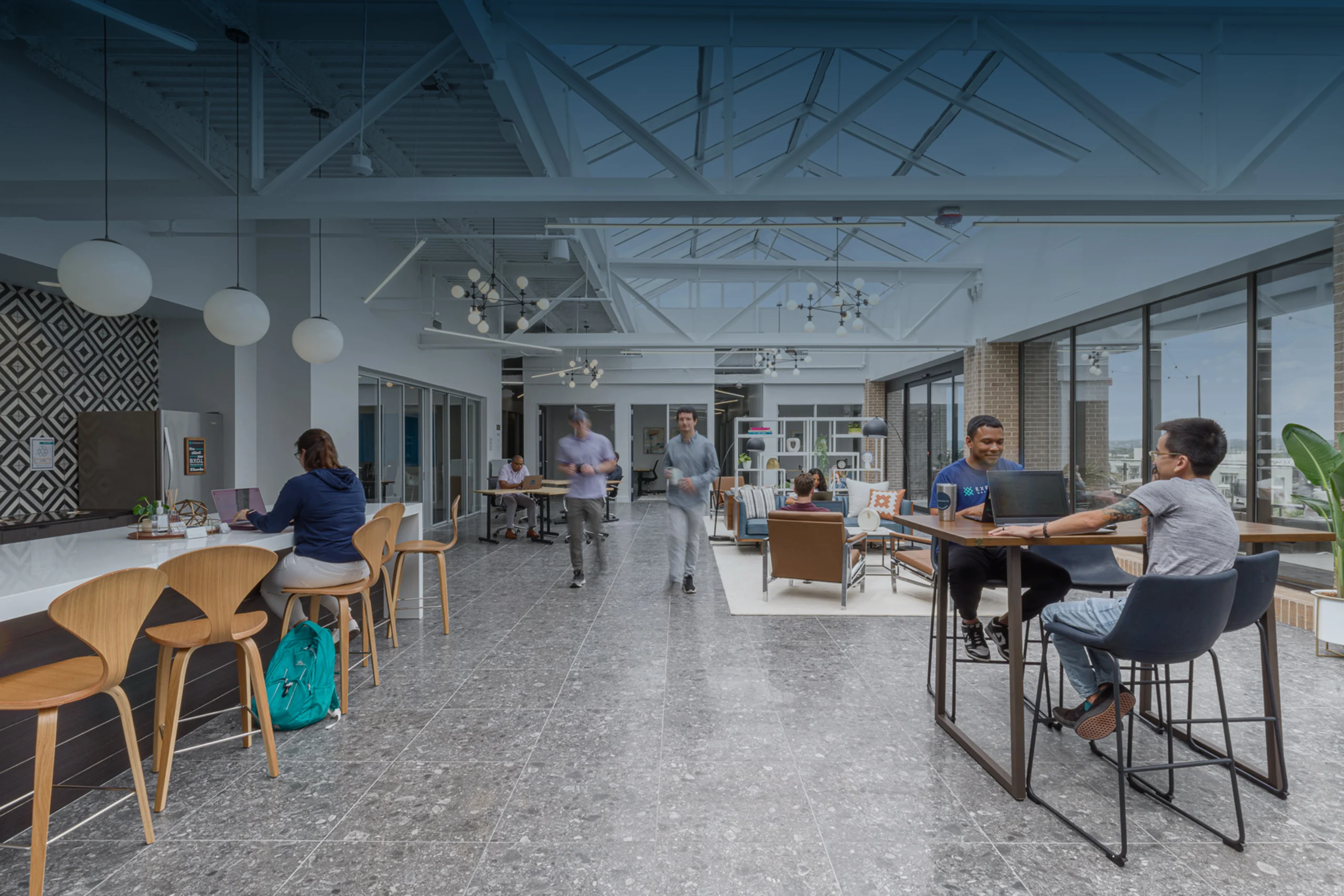
Austin’s coworking market has grown rapidly alongside the city’s technology and startup sector. From boutique creative studios in East Austin to high-capacity enterprise coworking campuses near the Domain, Austin’s flexible workspace operators manage a member population that is fundamentally different from the employee roster of a standard commercial tenant. [1]
Members come and go. Day pass users access the space once and never return. Private suite tenants need 24/7 access but only to their specific suite, not to their neighbors’. Conference rooms are booked by the hour across the full member population. The front desk, if there is one, is not staffed around the clock.
A traditional commercial access control system — designed for a single-tenant office with a stable employee roster managed by a facilities team — is fundamentally mismatched to these operational realities. It assumes a fixed, known population with consistent access needs. Coworking spaces have none of those characteristics.
The access control technology that works for Austin’s coworking operators is built around three specific capabilities: digital key management that scales across hundreds of members with different membership types, automated door scheduling that manages access windows without staff involvement, and direct integration with the coworking management software (like Nexudus, OfficeRnD, or Kisi) that already manages memberships, bookings, and billing.
This guide covers all three.
🔒 Free Access Control Assessment for Your Austin Coworking Space
Nexlar Security designs and installs coworking-optimized access control systems across Austin. Mobile credentials, smart locks, Nexudus integration, and 24/7 management — fully licensed. 👉 Book Your Free Onsite Assessment
The 24/7 Austin Coworking Problem: Who Gets In and When
The access control challenge in a 24/7 coworking space comes down to a matrix of different member types, different access levels, and different time windows — all changing continuously as memberships are started, modified, and cancelled.
Hot desk members need access to the general workspace during standard business hours. Maybe 8 AM to 8 PM, weekdays. They don’t need weekend access, they don’t need access to private suites, and they don’t need access to the building after hours.
Dedicated desk members typically get extended access — perhaps 7 AM to 10 PM, or 24/7 depending on their membership tier. They need their specific desk area and common areas. Not the private suites.
Private suite tenants need 24/7 access to their specific suite and to common areas. Their access should not extend to other tenants’ private suites. Their suite door should be accessible only to their specific team members.
Day pass users need single-day access — a digital key that expires at midnight or at a specific time. They may be a returning community member or someone who has never set foot in the space before. Issuing them a physical RFID card, managing its return, and then deactivating it is an operationally unsustainable process for a busy Austin coworking operator with dozens of day passes sold weekly.
Conference room bookers need access to a specific room for a specific booking window — 2 PM to 4 PM today. Their credential should work on that room door during that window and no other time.
The only scalable way to manage this complexity without significant staffing overhead is through digital key management integrated with the membership and booking platform — which is exactly what modern coworking access control systems deliver.
Managing Temporary Digital Keys for Day Pass Users and Permanent Members
The shift from physical RFID cards to digital key management is the single most impactful operational change an Austin coworking operator can make. Here’s what it changes:
For day pass users: When a day pass is purchased through the coworking management platform (Nexudus, OfficeRnD, Optix, or similar), the access control integration automatically generates a time-limited digital key tied to that day’s date and the purchaser’s profile. The key is delivered via app, SMS, or email — and it expires automatically at the end of the access window. No card issued. No card returned. No administrative step required from the coworking team.
For new members: When a new membership is activated in the CRM, the access control integration automatically provisions access credentials matching the membership tier’s access policy. A dedicated desk member gets the dedicated desk access profile. A suite tenant gets the suite access profile. The credential is active from their membership start date and expires on their membership end date — or is revoked immediately on cancellation.
For membership upgrades: When a member upgrades from hot desk to dedicated desk, the CRM event triggers an automatic access profile update — the member’s existing credential is updated to the new access level without any manual action from the coworking team.
For cancellations: When a membership is cancelled, the member’s credential is automatically deactivated. They don’t retain access after their membership ends. For 24/7 coworking operations, this automatic deactivation is not just convenient — it is a basic security requirement that manual processes cannot reliably deliver at scale. [2]
The credential itself can be a mobile app key (preferred), a PIN code, or a physical RFID card for members who prefer a physical credential. Most modern Austin coworking deployments use mobile app credentials as the primary access method, with PIN backup for members who don’t use smartphones.
Scheduled Unlocks: Automating Door Locks for Business Hours and After-Hours
One of the most frequently underestimated access control features for coworking operators is scheduled door automation — the ability to configure specific doors to unlock automatically at certain times and re-lock automatically at closing, without any staff involvement.
Lobby and main entry doors. During business hours — typically 8 AM or 9 AM to 6 PM or 7 PM on weekdays — the coworking space’s main lobby door can be configured to operate in unlocked (push-to-enter) mode, allowing walk-in traffic without credential requirement. After business hours, the door automatically transitions to locked mode, requiring a valid credential for entry. No staff member needs to remember to lock the front door at closing time. No front desk person needs to manually buzz in credential-verified members after hours. [3]
Common area and amenity doors. Kitchen areas, lounge spaces, restrooms, and similar common areas that should be universally accessible during business hours but potentially restricted after hours can be configured on the same automated schedule — open during the day, credential-required in the evening.
Conference room doors. Conference room doors can be configured on a booking-schedule automation — unlocked for the 30-minute window before a booked session, locked outside of booked sessions. When a booking is made in the CRM, the schedule integration automatically configures the door for that booking window. The room is accessible to the booking party during their session and to no one else outside of it.
Weekend and holiday schedules. Alternative access schedules for weekends, holidays, and special events can be pre-programmed and activated automatically on schedule — or triggered manually from the management interface for ad hoc changes. For Austin coworking operators managing community events, weekend workshops, or holiday closures, the ability to configure access schedules in advance and have them execute automatically is a meaningful operational efficiency.
The practical impact for Austin coworking operators is a facility that manages its own access schedule — no staff intervention required for routine daily open/close operations, no human error in remembering to lock doors at the end of the day, and a complete log of every door’s state changes throughout the day for review.
Integrating CRM Platforms Like Nexudus Directly with Smart Locks
Nexudus is the most widely deployed coworking management platform among Austin operators — used for membership management, conference room booking, billing, and community management. [4] The integration between Nexudus and access control hardware is the technical foundation that allows the automated provisioning described above.
How Nexudus access control integration works: Nexudus connects to the access control platform (typically via API or a dedicated integration module) and pushes member events — new member created, membership cancelled, membership plan changed, booking created, booking cancelled — to the access control platform in real time. The access control platform translates these events into credential provisioning, revocation, or schedule changes without any manual step. [4]
Conference room booking automation. When a member books a conference room through Nexudus, the integration generates a time-limited access credential (a PIN code or app access window) that works on the specific room door during the booking window. The member receives the credential automatically via the Nexudus member portal or email. No staff member issues a room code. No staff member needs to be available to let the member into the room.
Member portal self-service. Through the Nexudus member portal, members can often manage their own access credentials — adding team members who need suite access, extending a guest’s temporary access, or viewing their own access history. This self-service capability reduces the volume of access-related requests to the coworking team significantly.
Other platform integrations: Similar integration patterns apply to other Austin-market coworking management platforms — OfficeRnD, Optix, Kisi, and Archie — each of which has developed or is developing access control integration capability. The specific access control hardware and platforms that integrate with each CRM vary — Nexlar’s team evaluates CRM compatibility as part of the system design process for every Austin coworking client. [5]
Smart Lock Hardware Options for Austin Coworking Environments
Cloud-Managed Commercial Smart Locks Commercial-grade smart locks — from brands like Salto Systems, Assa Abloy (PULSE/CLIQ), Kisi, and Allegion (ENGAGE) — are the standard hardware category for coworking access control deployments. These locks are designed for commercial duty cycle (high-frequency use), have cloud connectivity for remote management and credential updates, support multiple credential types (app, PIN, card), and integrate with coworking management platforms. [6]
Salto Systems is particularly prevalent in Austin’s coworking market — the Salto KS (Keys as a Service) platform offers both cloud-connected locks and a built-in API for CRM integration, and is directly integrated with Nexudus. The Salto Neo Cylinder and Salto XS4 wall reader series are widely installed in Austin coworking spaces on suite doors, conference room doors, and lobby entries.
Kisi Smart Locks and Readers Kisi has built its platform specifically around the coworking and flex space market — with native integrations to Nexudus, OfficeRnD, and other coworking CRMs, strong mobile credential support, and a management interface designed around the operational realities of a multi-tenant flex space. Kisi’s reader hardware is clean and modern in form factor, appropriate for Austin’s design-conscious coworking environments. [7]
Traditional IP Access Control with Smart Lock Integration For larger Austin coworking facilities — multi-floor buildings, campuses with multiple access points, or facilities that want to run a unified platform across coworking suites and common areas — a traditional IP access control system (Brivo, PDK, or similar) combined with smart lock hardware provides more enterprise-grade management capability, particularly for facilities with higher door counts and more complex access policy requirements.
Multi-Tenant Privacy and Access Isolation in Shared Office Spaces
Private suite tenants in an Austin coworking space expect — and are legally entitled to — a degree of privacy and access isolation from the rest of the member community. A startup in a private suite in an East Austin coworking building should not have to worry about other members wandering into their space, or about their suite’s access history being visible to other members.
Modern coworking access control systems handle this through access zone isolation: private suite doors are configured as independent access zones visible only to the suite tenant’s team credentials and the coworking operator’s administrative account. No other member’s credential can open a suite they’re not a tenant of. The suite’s access history is visible to the suite tenant and to the operator, but not to other tenants. [2]
For suite tenants who want to grant access to their own guests, contractors, or collaborators, the self-service credential management (through the Nexudus portal or similar) allows them to generate temporary access credentials for their suite without involving the coworking team — within the parameters the operator has configured.
Visitor and Guest Management in a Coworking Context
Visitor management in a coworking space is different from a standard commercial building because visitors come not to see the building operator, but to see specific members — and those members, not the front desk, are typically the appropriate people to authorize their guests.
Modern coworking access control deployments handle this through member-initiated guest access:
Mobile app guest invite. The member generates a time-limited guest access credential through the access control app — typically a one-time use or day-long PIN code that works on the main entry and common areas, but not on other members’ suites. The credential is sent directly to the guest by the member, requiring no involvement from the coworking team.
Video intercom at main entry. For unstaffed buildings or after-hours entry, a video intercom at the main lobby door allows guests to call a specific member through the coworking app — the member sees the video of their guest, speaks with them, and releases the main entry door remotely. No front desk required. No staff involvement.
Visitor log. All guest access events — who issued the credential, when it was used, which doors were accessed — are logged in the access control system, providing the operator with a complete visitor record without requiring manual sign-in sheets.
System Comparison Table
| Feature | Manual Key System | Standard Commercial AC | Coworking-Optimized Smart Lock |
|---|---|---|---|
| Day Pass Digital Key | No | No | Yes — auto-generated on purchase |
| Membership Auto-Provisioning | No | No | Yes — CRM integration |
| Conference Room Schedule Lock | No | Manual programming | Automated via booking integration |
| Auto-Lock at Closing | No | Requires programming | Built-in schedule automation |
| Nexudus / OfficeRnD Integration | No | Limited | Native API integration |
| Member Self-Service Guest Access | No | No | Yes |
| Video Intercom for Unstaffed Entry | No | Optional | Yes — standard for 24/7 operations |
| Suite Tenant Access Isolation | No | Yes | Yes |
| Real-Time Credential Revocation | No | Manual | Instant via CRM event |
| Mobile App Credentials | No | Optional | Yes — primary credential type |
Cost and Pricing for Austin Coworking Installations
| Facility Scope | Estimated Cost Range |
|---|---|
| Small Coworking Space (under 10 doors) | $6,000 – $18,000 |
| Mid-Size Space (10–30 doors, multi-suite) | $15,000 – $40,000 |
| Large Multi-Floor Coworking Campus | $35,000 – $90,000+ |
| Nexudus / CRM Integration Setup | $1,500 – $5,000 |
| Video Intercom at Main Entry | $2,500 – $6,000 |
| Conference Room Automation (per room) | $800 – $2,500 |