

San Antonio’s commercial office market — across the Medical Center professional corridor, the Loop 1604 suburban office parks, Downtown San Antonio’s growing professional tenant base, and the Sonterra Boulevard and Stone Oak office clusters in the north — has a consistent access control challenge: managing physical security across multiple office locations without the infrastructure overhead of traditional on-premise server-based systems.
The traditional on-premise access control model requires a dedicated server or panel at each location running management software — meaning separate systems, separate logins, and separate administrative actions for each office. As San Antonio companies grow from one location to two, three, or five — a pattern Nexlar sees regularly in the San Antonio professional services, healthcare, and financial services markets — the per-site management model scales poorly.
Brivo’s cloud architecture fundamentally changes this. One platform manages all San Antonio office locations under a single login. Credential changes propagate to all locations instantly. The security director manages the entire portfolio from a browser or smartphone — without being physically at any location or logging into location-specific systems.
This is why San Antonio commercial office managers are standardizing on Brivo rather than continuing to add on-premise systems at each new location.
🔒 Free Brivo Access Control Assessment for Your San Antonio Office
Nexlar Security is a certified Brivo installer serving San Antonio commercial offices, professional services firms, and multi-location businesses. Free on-site assessment, no obligation. 👉 Book Your Free San Antonio Office Assessment
What Brivo Cloud Architecture Actually Means
Brivo’s access control platform operates on a true cloud architecture — the management software, credential database, access policy rules, and event logs are hosted on Brivo’s secure cloud infrastructure, not on a server at the customer’s office. [1]
What this changes for San Antonio office operators:
No on-site server. No server room. No server maintenance contracts. No software update service calls. No risk of local server failure taking down the access control system. Brivo’s cloud infrastructure is redundant, monitored, and maintained by Brivo — not by the customer’s IT team.
Access is managed from any browser on any device — the office manager in San Antonio’s Medical Center can update credentials at the Stone Oak satellite office from their laptop in the main office, or from their phone at home.
Firmware updates to Brivo door controllers and readers deploy remotely and automatically — the hardware at the door always runs the current software without a technician visit.
The credential database is backed up to Brivo’s cloud continuously — a power failure or hardware failure at any location doesn’t lose access control data, and the system recovers to normal operation when power or hardware is restored.
Real-Time Badge Event Logging via Smartphone App
The Brivo mobile app gives authorized administrators and security personnel real-time visibility into access events across all managed locations — from their smartphone, wherever they are.
What the real-time event log shows:
Every badge presentation at every reader — granted or denied — appears in the event stream in real time. The administrator sees the credential holder’s name, the specific door accessed, the timestamp, and whether access was granted or denied.
For a San Antonio office security director managing multiple locations, this means being able to see a notification that an employee badged into the Sonterra office at 11:47 PM on a Saturday — without being in the office, without polling a local server, without waiting for a morning email report. The event happens; the log updates in real time on the mobile app. [1]
Alerts for specific events:
Brivo’s mobile app supports configurable push notifications for specific event types — after-hours door access, access denial events (which may indicate a credential issue or an unauthorized attempt), specific high-security door events, or doors held open beyond a defined threshold. San Antonio office managers can configure the specific alerts that matter to their operation and receive them on their phones without logging into the system to check.
Historical event query:
Beyond real-time monitoring, the Brivo app allows ad hoc historical event queries — who accessed the server room in the past 30 days, which doors did employee X access last week, how many access denial events occurred at the back entrance last month. These queries are available at any time, from any device, without a separate reporting process.
Managing Permissions and Credentials from Any Device
One of the most operationally valuable features of Brivo’s cloud platform for San Antonio offices is the ability to manage credentials and permissions from any device — specifically in the time-sensitive scenarios that on-premise systems handle poorly.
The immediate termination scenario: An HR manager in San Antonio receives news of an employee termination at 3 PM. On a traditional on-premise system, revoking the employee’s access requires either: logging into the specific PC running the access control software at the office, or calling an IT administrator who has access to the system, or waiting until regular business hours if the right person isn’t available.
On Brivo, the HR manager opens the Brivo app on their phone, finds the terminated employee’s credential, and deactivates it. The credential stops working at every Brivo-managed door at every location simultaneously. Total time: under 60 seconds, from any location. [1]
New employee access provisioning: When a new hire starts in San Antonio, their access profile — which doors they can access, during what hours, at which locations — is created in Brivo’s management interface and their credential (a physical card or mobile app credential) is issued. If additional access is needed later (the employee transfers to a second location, or their role expands), the change is made in Brivo and takes effect immediately without any hardware changes at the door.
Scalable Card Security: Multiple Office Footprints on One Enterprise Server
The scalability argument for Brivo is strongest for San Antonio businesses that are growing — adding new office locations, expanding their San Antonio footprint to additional submarkets, or managing real estate transitions where offices open and close as the business evolves.
On a Brivo enterprise account, each new office location is added to the existing platform — the new location’s door controllers register with the same cloud account, and the existing credential database extends to the new location. The security director adds the new location’s doors and access zones, assigns existing employees’ credentials to the new location as appropriate, and the new location is live in the same management interface as all existing locations. [2]
No new server. No new software license for the new location. No need to re-enroll employees who already have Brivo credentials. The new location inherits the platform’s existing infrastructure and the employee’s existing credential — just with new door assignments.
For a San Antonio professional services firm that has grown from a single Sonterra office to four offices across San Antonio and is now looking at a fifth in Austin — this scalability means that each new location adds to the existing platform rather than creating a new parallel system to manage independently.
Brivo Hardware: Readers, Controllers, and Wiring Specifications
Brivo’s hardware ecosystem for San Antonio commercial office installations consists of:
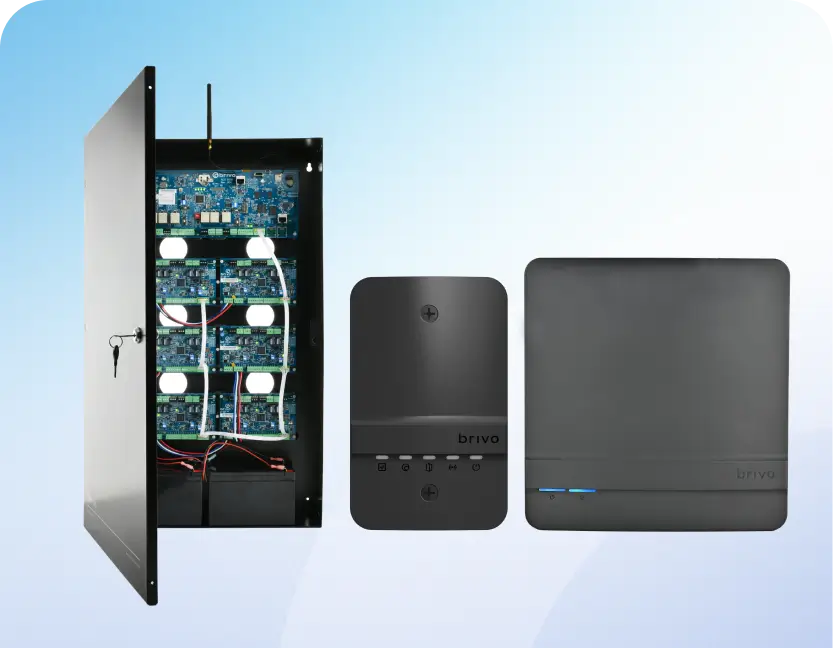
Brivo ACS Door Controllers IP-connected door controllers that manage the credential validation and door hardware (electric strike or maglock) at each access point. The controller communicates with Brivo’s cloud over the office network or a dedicated cellular connection — receiving access policy updates and sending event logs in real time. Controllers maintain a local cache of the access policy, ensuring doors continue to grant or deny access correctly during brief internet outages. [1]
Multi-Technology Readers Brivo-compatible readers support multiple credential types simultaneously: standard MIFARE smart cards, DESFire encrypted cards, Bluetooth mobile credentials, and in some configurations 125kHz proximity cards for compatibility with legacy credentials during a transition period. Readers from HID Global, Allegion, and Brivo’s own reader line are compatible with the Brivo platform.
Mobile Credential App (Brivo Mobile Pass) The Brivo mobile credential app allows employees to use their iPhone or Android phone as their access credential — Bluetooth Low Energy (BLE) communication with compatible readers, managed through the Brivo platform alongside physical card credentials. San Antonio offices deploying Brivo mobile credentials eliminate physical card production, distribution, and collection costs while maintaining the same cloud management and real-time logging as card-based deployments.
Brivo vs. On-Premise Access Control: The San Antonio Office Case
| Feature | On-Premise System | Brivo Cloud Platform |
|---|---|---|
| Server Required | Yes — at each location | No — cloud hosted |
| Multi-Site Single Login | No — separate per location | Yes — all locations unified |
| Remote Credential Revocation | Requires VPN or on-site access | Instant from any device |
| Software Update Process | On-site technician visit | Automatic, remote |
| Firmware Update Process | On-site technician visit | Remote deployment |
| Real-Time Mobile App Monitoring | Not available | Yes — Brivo admin app |
| Mobile Credentials | Not standard | Yes — Brivo Mobile Pass |
| New Location Onboarding | New server + new license | Register controllers to existing account |
| Internet Outage Performance | Full local operation | Local cache, brief recovery period |
| SOC 2 Type II Certified | Varies | Yes (Brivo infrastructure) |
Cost and Pricing for San Antonio Brivo Installations
| Installation Scope | Estimated Cost Range |
|---|---|
| Small Office (3–8 doors, single site) | $5,000 – $15,000 |
| Mid-Size Office (8–20 doors) | $12,000 – $30,000 |
| Multi-Site San Antonio (3–5 locations) | $20,000 – $55,000 |
| Reader Upgrade to Brivo-Compatible (per door) | $400 – $900 |
| Mobile Credential Platform Setup | Included in Brivo subscription |
| Brivo Monthly Subscription | ~$5–$8 per door per month |
💡 Certified Brivo Installer in San Antonio — Cloud Access for Every Scale
Nexlar Security is a certified Brivo installation partner for San Antonio commercial offices and multi-location businesses. Mobile credentials, real-time monitoring, and scalable multi-site management. 👉 Schedule Your Free Brivo Assessment