

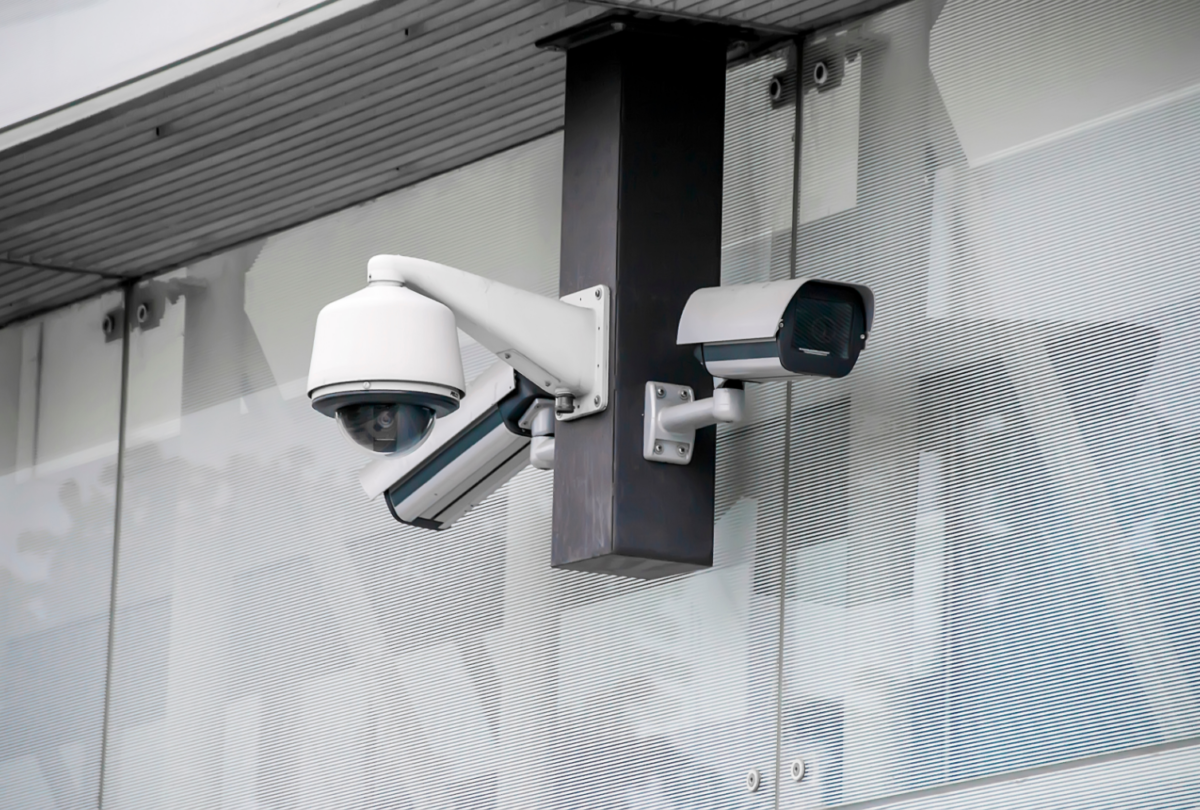
Most Houston commercial office camera systems are designed around one question: “How many cameras do we need?” That question produces a camera count. What it doesn’t produce is a camera system that actually does its job.
The right question is: “What specifically are we trying to see, and what legal and operational constraints shape where cameras can and cannot go?” That question produces a camera layout — with placement rationale, coverage documentation, and a design that a Houston HR team or general counsel can stand behind if an employee raises a privacy concern or a liability question.
Across Houston’s commercial office market — in the Energy Corridor, the Galleria, Downtown, and the Greenway Plaza corridor — Nexlar encounters the same recurring scenario: a camera system installed without a documented privacy policy, with cameras pointed at individual workstations, generating footage that no one has defined a retention or access policy for. When something goes wrong — an allegation of misconduct, a theft investigation, an employment dispute — the camera system that was supposed to help creates additional liability because it was never designed with a clear understanding of what it was supposed to do.
This guide covers how Houston corporate offices design camera systems that achieve their security objectives without creating privacy liability exposure — specifically the placement logic, the prohibited zones, and the role-based video access controls that define a compliant, defensible office camera design.
🔒 Free Office Camera Layout Assessment for Your Houston Office
Nexlar Security designs CCTV systems for Houston commercial offices — from Galleria professional suites to Energy Corridor corporate campuses. Compliant camera placement, role-based access, documented design. 👉 Book Your Free Office Security Assessment
Balancing Workspace Monitoring with Employee Privacy
Texas does not have a comprehensive employee privacy statute that categorically prohibits workplace video monitoring. Texas employers generally have broad legal authority to monitor their own premises, including areas used by employees, provided the monitoring is disclosed in written employment policies and does not extend into areas with a reasonable expectation of privacy. [1]
“Reasonable expectation of privacy” is the operative standard. In a commercial office context, this means:
Employees working in open-plan workspaces, shared offices, conference rooms, common areas, and reception areas generally do not have a reasonable expectation of privacy against video monitoring by their employer — particularly where monitoring is disclosed in the company’s employee handbook or security policy.
Employees in restrooms, changing areas, private offices with a specific privacy designation, and other spaces where personal privacy is reasonable do have a privacy expectation that video monitoring violates — regardless of whether the monitoring is disclosed.
The practical design implication: cameras in Houston offices should be positioned to monitor common areas, access points, and shared spaces — not individual workstation positions. A dome camera pointed directly at a specific employee’s desk, capturing their screen contents and personal interactions at close range, is a different legal situation from a camera in the same room that captures the room perimeter and entry points without targeting individual workstations.
This distinction drives the indoor dome camera placement logic that Nexlar recommends for Houston commercial offices — cameras positioned at room perimeters, entry points, and common areas, with tilt and pan adjustment documented to avoid direct workstation targeting. Every Houston office camera project Nexlar delivers includes a placement documentation memo suitable for HR file retention.
Where Cameras Belong: Reception Zones, Supply Rooms, and Elevator Lobbies
Reception Zones The reception area is the highest-priority camera location in a Houston commercial office for two reasons: it is the first access control point where visitors interact with the building (and where verification of authorized entry is most important), and it is the area most commonly associated with external security incidents in commercial office settings. [2]
Camera placement in a Houston office reception zone should capture: the main entry door and its approach from both inside and outside, the reception desk from an angle that documents visitor interactions without targeting the receptionist’s monitor contents, the visitor seating area, and the secondary doors from the reception into the office interior.
Supply Rooms and Storage Areas Copy rooms, supply closets, server rooms, and file storage areas are among the highest-loss locations for employee-involved theft in commercial offices — small, high-value items (electronics, supplies, files, portable drives) are regularly diverted from these locations. A single dome camera positioned at the supply room door entry — capturing who enters and exits, not the interior contents of storage — provides the accountability that deters and documents supply room loss without creating a surveillance-of-individuals concern.
Elevator Lobbies For multi-floor Houston office tenants, elevator lobbies at each floor are a critical camera position — documenting movement between public elevator access and the secured office interior. Elevator lobby cameras typically capture badge credential presentations where access control is integrated and record the transition point between public building access and private office space. For high-rise office tenants in Houston’s Downtown and Galleria districts, elevator lobby coverage is also part of building security requirements under standard commercial lease terms.
Common Corridors and Breakrooms Corridor cameras at main interior traffic paths document overall personnel movement and are useful for investigating incidents that occur anywhere on the floor. Breakroom cameras — positioned at the entry door rather than aimed at food storage or seating areas — document access to a common area frequently cited in interpersonal workplace incident reports.
Where Cameras Are Legally Prohibited in Houston Office Environments
Regardless of employer disclosure policies, video monitoring in certain locations in a Houston office is legally prohibited or creates significant liability exposure:
Restrooms and locker rooms — No legitimate security purpose justifies video surveillance in any restroom or changing area. Any camera in these locations constitutes a privacy violation regardless of disclosure.
Medical examination or testing rooms — Where Houston employers conduct drug testing, occupational health assessments, or similar medical activities, video monitoring is prohibited by the same reasonable expectation of privacy that applies to medical settings generally.
Private offices designated for confidential work — Where an employer has specifically designated offices as private for attorney-client work, HR investigations, or similar confidential activities, placing cameras in these spaces creates legal and ethical complications that generally outweigh any security benefit.
Areas where union agreements prohibit monitoring — For Houston employers with unionized workforces in industries including manufacturing and hospitality, collective bargaining agreements may specifically address or prohibit workplace video monitoring in certain areas. Legal review of applicable agreements before camera placement is advisable.
Nexlar includes a camera-exclusion zone documentation step in every Houston commercial office camera design — ensuring that placement decisions are explicitly documented, including which areas were evaluated and excluded from camera coverage and why.
Camera Hardware Selection for Houston Commercial Office Environments
Indoor Dome Cameras The standard specification for most Houston commercial office interior locations. Flush-mount dome cameras in white or off-white housing blend with standard commercial office ceilings, are vandal-resistant in their recessed design, and provide wide-angle coverage (typically 120–180 degrees) from ceiling positions. Resolution specification for Houston office interiors depends on coverage distance: 4K ultra-HD for wider areas where identification at greater distances is needed; 2MP (1080p) for closer coverage positions in corridors and reception areas.
Mini Dome and Compact Cameras For Houston boutique professional offices, law firms, and executive suites where camera aesthetics are a tenant or property manager concern, compact dome cameras with a minimalist form factor provide the same surveillance function with a less institutionalized appearance.
Stairwell and Elevator Interior Cameras For Houston high-rise office tenants with access to stairwells and elevator interiors, vandal-resistant dome cameras in surface-mount stainless or painted steel housings — rated for the mechanical stress of elevator cab movement — cover these spaces with appropriate durability specifications.
For a comprehensive view of how Houston commercial office cameras fit within a broader integrated security ecosystem — including access control and alarm systems — Nexlar’s commercial security systems for Houston offices cover the full integrated approach.
Access Controls for Video Feeds: Role-Based Viewing Permissions
One of the most frequently overlooked design requirements for Houston office camera systems is defining who can see the footage — and ensuring that access to live streams and recorded footage is limited appropriately.
An office camera system where any IT administrator with network access can pull up live feeds from any camera — including reception areas, HR interview rooms, or executive meeting rooms — is a system with a privacy liability even if the cameras themselves are correctly positioned. Footage of sensitive business meetings, HR conversations, and executive discussions represents confidential company information that should not be broadly accessible.
Role-based video access configuration:
Video Management Software (VMS) platforms — including Milestone XProtect, Genetec Security Center, and Hanwha WiseNet WAVE — all support user permission tiers that restrict which cameras each user role can view. [3]
A properly configured Houston office camera access permission structure might look like:
- Security desk / monitoring role: Access to all cameras for real-time monitoring during business hours. No access to recorded footage archive for non-incident purposes.
- HR manager role: Access to cameras covering HR-adjacent areas during active investigations. Access documented and logged.
- Executive / C-suite role: Access to live feeds from main reception and building entry during business hours only.
- IT administrator role: System configuration access only — not video viewing access. IT administers the system without having routine access to footage content.
- Loss prevention role: Full access to all cameras and recorded footage for investigation purposes. All access logged.
Every VMS access event — login, camera view, footage export — is logged with the user’s account identifier and timestamp. This audit trail of who viewed which camera and when is the documentation that demonstrates appropriate video access control in a legal or HR proceeding.
Enabling HR and Executive Managers to View Live Streams Securely
For Houston corporate HR and executive teams who need occasional access to specific camera feeds — during an active incident, an HR investigation, or a security concern — secure remote access to the VMS from a managed device is the appropriate configuration rather than broad, persistent access.
Secure remote viewing options for Houston office managers:
VMS mobile client apps (Milestone XProtect Mobile, Genetec Mobile, Hanwha WiseNet WAVE mobile) allow authorized users to view specific camera feeds from a company-managed smartphone or tablet — with login authentication (typically multi-factor) and all access events logged in the VMS audit trail.
Web browser VMS clients with HTTPS and MFA authentication allow authorized users to view specific assigned cameras from any managed device with internet access — without installing software on the device.
What “secure” means for remote video access:
Multi-factor authentication for every login — password plus a second factor (authenticator app, SMS, hardware token). Encrypted transport for video streams (HTTPS/TLS for web clients, encrypted VPN for mobile clients where network security standards require it). Session logging — every login, camera viewed, and logout event is timestamped in the VMS audit trail. Role-limited access — the HR manager’s remote access is limited to the cameras relevant to their HR function, not the full camera system.
System Comparison Table
| Feature | Uncontrolled Camera System | Basic Documented Placement | Fully Configured (Placement + Access Control) |
|---|---|---|---|
| Placement Documentation | No | Yes | Yes |
| Privacy Exclusion Zones Documented | No | Yes | Yes |
| Role-Based Video Access | No | No | Yes |
| VMS Audit Log (who viewed what) | No | No | Yes |
| HR/Legal Defensibility | Low | Medium | High |
| Remote Secure Viewing | Basic network access | Basic network access | MFA + encrypted + logged |
| Employee Policy Disclosure | Often absent | Recommended | Required |
| Best For | Basic deterrence only | Standard commercial | Houston corporate, HR-sensitive environments |
Cost and Pricing for Houston Office Camera Installations
| Installation Scope | Estimated Cost Range |
|---|---|
| Small Office Suite (8–15 cameras) | $5,000 – $15,000 |
| Mid-Size Corporate Office (15–40 cameras) | $12,000 – $35,000 |
| Enterprise Multi-Floor Tenant (40+ cameras) | $30,000 – $80,000+ |
| VMS Role-Based Access Configuration | $1,500 – $4,000 |
| Remote Secure Viewing Setup (per role) | $500 – $1,500 |
Nexlar provides itemized quotes for Houston office camera projects after a free on-site assessment covering floor plan review, coverage zone mapping, and exclusion zone documentation.
💡 Houston Office CCTV Systems Designed for Security AND Compliance — Not Just Camera Count
Nexlar designs Houston corporate camera systems with documented placement rationale, privacy exclusion zones, and role-based video access configuration — ready for HR and legal review. 👉 Schedule Your Free Houston Office Camera Assessment