

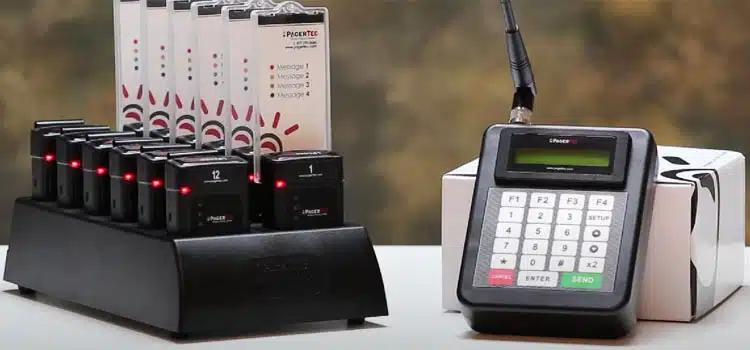
Paging System for Office Buildings: Modern Setups
Table of Contents
- Why Office Buildings Need a Modern Paging System
- How a Modern Office Paging System Works
- Types of Paging Systems for Office Buildings
- Key Benefits for Office Operations and Safety
- Drawbacks and Limitations
- Common Office Communication Scenarios
- How to Choose the Right System for Your Office Building
- Office Paging System Comparison Table
- Cost and Pricing for Office Installations
- Frequently Asked Questions
- Conclusion
- References
Introduction
The modern office building has changed significantly over the past decade. Open floor plans, hybrid work arrangements, multi-tenant configurations, and sophisticated visitor management requirements have transformed how office communication needs to work. And yet many office buildings are still running paging infrastructure that was designed for a completely different era of work.
Old analog intercoms at the front desk. Standalone paging amplifiers with no network integration. No zone control. No connection to access control or visitor management systems. In a building that is increasingly designed around technology integration and intelligent access, an outdated paging system is an obvious weak link.
In 2026, modern office paging systems do far more than broadcast announcements. They integrate with your VoIP phone system, connect to your access control platform, manage visitor entry communication, automate emergency protocols, and deliver professional audio to a carefully designed workplace environment — all from a single, network-managed platform.
This guide from Nexlar Security walks office building managers, corporate facilities directors, and commercial property teams through what a modern office paging system looks like and what it takes to design one correctly.
📞 Upgrade Your Office Building's Paging System
Nexlar Security offers FREE on-site consultations for Texas office buildings and corporate campuses. Our licensed team designs modern integrated paging solutions for commercial properties of every size. 👉 Book Your Free Site Survey Today
Why Office Buildings Need a Modern Paging System
Office buildings have three distinct communication needs that a well-designed paging system addresses simultaneously.
The first is operational communication — reaching staff across multiple floors or wings of a building for routine coordination, visitor announcements, parking notifications, and administrative messages.
The second is visitor and access management communication — managing the interaction between visitors at building entrances and the staff members they're there to see. In a modern office building, this is increasingly managed through an IP-based entry system integrated with access control and paging rather than a standalone intercom.
The third is emergency communication — delivering immediate, floor-specific or building-wide evacuation instructions, security lockdown alerts, and emergency notifications that meet fire code and occupancy safety requirements.
A modern IP paging system handles all three functions from a single integrated platform — replacing the combination of standalone intercom panels, separate paging amplifiers, and manual emergency protocols that many office buildings still rely on. When this platform also connects with Nexlar's access control systems and security cameras, the result is a fully integrated building communication and security infrastructure.
How a Modern Office Paging System Works
Modern office paging systems operate as IP-networked platforms in which ceiling speakers, desktop paging units, entry intercom stations, and management software all communicate over the building's existing LAN infrastructure.
A building manager or authorized staff member initiates a page from a dedicated microphone, a SIP phone extension, an authorized workstation, or a scheduled automation. The IP paging controller routes the audio to the designated zone — a specific floor, a wing, the lobby, a conference area, or the entire building.
For buildings with VoIP phone systems, SIP paging integrates overhead broadcasts directly into the phone infrastructure — so any desk phone can become a paging station by dialing a designated extension. This eliminates the need for dedicated paging hardware at every station and makes the system immediately intuitive for staff.
Visitor management is handled through IP intercom stations at building entrances — video-capable units that allow a visitor to identify themselves, communicate with the relevant staff member, and be granted access through the integrated access control system — all without requiring a receptionist to leave their desk. Nexlar installs commercial intercom systems and door entry systems that integrate directly with paging and access control platforms for seamless office entry management.
Emergency scenarios — fire evacuation, security lockdown, severe weather shelter-in-place — are handled through pre-programmed announcements that can be triggered from a panic button, a software interface on any authorized device, or automatically by the building's fire alarm system. Each protocol is configured in advance so the response is immediate and consistent, regardless of which staff member initiates it.
Types of Paging Systems for Office Buildings
IP Multi-Zone Paging
The recommended standard for modern office buildings. IP paging supports multiple independent zones — individual floors, reception areas, conference wings, parking garage levels, outdoor areas — managed from a single web-based interface. Scalable without rewiring, remotely manageable, and integrable with VoIP phone systems, access control, and fire alarms.
VoIP/SIP Integrated Paging
For office buildings running a VoIP phone system, SIP paging turns any desk phone into a paging station. Staff dial a paging extension to broadcast to designated zones without needing dedicated paging hardware. This is the most cost-effective path for VoIP-enabled offices to add professional overhead paging capability.
IP Video Intercom with Integrated Paging
For buildings with visitor management requirements, IP video intercom systems at building entrances allow visitors to communicate with staff and be admitted through the integrated access control platform. These systems connect to the IP paging infrastructure so that visitor arrivals can trigger paging announcements to the relevant department or staff member. Nexlar installs commercial door entry systems that integrate with paging and access control for complete entry management.
Multi-Tenant Office Paging
Multi-tenant office buildings require paging systems that can address individual tenant suites independently, shared common areas as a separate zone, and the entire building for emergency broadcasts. These systems require careful zone architecture and access control so that one tenant's paging activity doesn't interfere with other tenants.
Cloud-Managed Multi-Building Campus Paging
For corporate campuses or real estate portfolios with multiple office buildings, cloud-managed IP paging platforms allow unified management across all buildings from a single administrative interface — with building-specific zone control and campus-wide emergency broadcast capability.
Key Benefits for Office Operations and Safety
Professional Visitor Management A visitor arriving at your building's entrance communicates through an IP video intercom connected to the relevant staff member's desk phone, computer, or mobile device. The staff member can see, verify, and admit the visitor — or direct them to the correct entrance or suite — without leaving their workstation. This creates a professional, efficient visitor experience while maintaining controlled access.
Seamless VoIP Integration For office buildings with VoIP phone systems, SIP paging integration means staff can initiate a floor-wide or building-wide page from their desk phone in seconds. No specialized hardware. No separate system to learn. The paging function is as familiar as making a phone call.
Floor-by-Floor Zone Control Multi-floor office buildings benefit from zone control that allows each floor, wing, or department to be addressed independently — or as part of a building-wide broadcast when needed. This eliminates the unnecessary disruption of broadcasting routine messages to the entire building when only one floor needs to hear them.
Integration with Access Control and Security Cameras When the paging system connects with Nexlar's access control systems and security cameras, the building has a unified security and communication platform. An unauthorized access event detected by access control can trigger a targeted paging alert. A security camera detecting unusual activity can initiate a security broadcast to the relevant zone.
Automated Emergency Protocols Pre-programmed emergency announcements triggered by a single button press or automatically by fire alarm activation ensure that emergency communication is consistent, immediate, and doesn't depend on any individual staff member's presence or composure under pressure.
Clean Aesthetics for Modern Office Environments Modern IP ceiling speakers are designed to flush-mount cleanly into standard ceiling tiles — maintaining the visual aesthetic of a contemporary office environment. High-quality audio from properly positioned speakers enhances rather than disrupts the professional workplace atmosphere.
Drawbacks and Limitations
Dependency on Network Infrastructure IP paging in an office building relies on the building's network. Network outages, switch failures, or bandwidth issues can disrupt paging capability. Redundant PoE switches and battery backup for core network equipment are recommended for buildings where paging is critical infrastructure.
Multi-Tenant Complexity Multi-tenant buildings require careful zone design and access permission configuration to ensure tenant independence and privacy. Improperly designed multi-tenant systems can allow one tenant's page to broadcast into another tenant's space — which is both operationally disruptive and potentially a lease compliance issue.
Open-Plan Acoustic Challenges Modern open-plan offices with exposed concrete ceilings, hard surfaces, and limited acoustic treatment can create echo and reverberation that reduces paging intelligibility. Speaker placement and audio level calibration must account for the specific acoustic characteristics of each floor or zone.
Integration Requires Technical Coordination Integrating paging with VoIP phone systems, access control, and fire alarms requires coordination between the paging installer, IT staff, and other system vendors. This adds complexity to the project scope and requires a skilled integrator who can manage all stakeholders effectively.
Common Office Communication Scenarios
Visitor Arrival Announcements When a visitor arrives and is admitted through the building's entry intercom, the paging system can automatically broadcast a visitor arrival notification to the relevant floor or suite — alerting the staff member that their guest has arrived and is on the way up.
Floor-Specific Administrative Announcements HR announcements, parking notifications, maintenance alerts, and building management updates are broadcast to specific floors or the entire building — without requiring mass emails that may go unread.
Conference Room and Common Area Notifications Notifications for shared conference room bookings, catering deliveries, or building management events are paged to common area zones — reaching the relevant staff in shared spaces without disrupting people working at their desks.
Emergency Evacuations Fire alarm integration or a direct emergency trigger broadcasts floor-specific or building-wide evacuation instructions immediately — meeting fire code requirements and ensuring every occupant receives the alert simultaneously.
After-Hours Security Communication Security staff managing an office building after hours use the paging system to broadcast to specific floors or zones during unusual events — controlling communication in a way that radios or phones cannot match for building-wide reach.
How to Choose the Right System for Your Office Building
Map Your Building Zones First Identify every distinct area that may need independent paging capability — each floor, the lobby, reception, conference wings, break rooms, parking garage levels, outdoor areas. Zone mapping drives all other design decisions.
Assess Your VoIP Infrastructure If your building runs a VoIP phone system, SIP paging integration is likely your most cost-effective path. Verify PBX compatibility with SIP paging endpoints and assess network readiness for VoIP audio quality before committing to a specific system.
Define Visitor Management Requirements If your building has a staffed or unstaffed main entrance where visitors need to communicate with specific tenants or departments, an IP video intercom integrated with access control and paging is the modern standard. Define these requirements before system design begins.
Prioritize Emergency Protocol Design Document your emergency scenarios — fire, security threat, severe weather, medical — and define the correct paging response for each. These protocols must be programmed and tested before the system goes live.
Consider Multi-Tenant Requirements For multi-tenant buildings, work with a paging system designer who understands the zone independence, access permission, and privacy requirements of multi-tenant commercial deployments. Nexlar has extensive experience designing multi-tenant commercial security and communication systems.
Office Paging System Comparison Table
| Feature | Analog System | IP Zone Paging | VoIP/SIP Paging | IP + Intercom + AC |
|---|---|---|---|---|
| Multi-Floor Zone Control | No | Yes | Yes | Yes |
| VoIP Phone Integration | No | Partial | Yes | Yes |
| Visitor Entry Integration | No | No | No | Yes |
| Access Control Integration | No | Yes | Yes | Yes |
| Fire Alarm Integration | No | Yes | Yes | Yes |
| Scheduled Announcements | No | Yes | Yes | Yes |
| Remote Management | No | Yes | Yes | Yes |
| Multi-Tenant Support | Limited | Yes | Yes | Yes |
| Aesthetics (Flush Ceiling) | Basic | Yes | Yes | Yes |
| Upfront Cost | Low | Medium | Low – Medium | Medium – High |
| Best For | Small single-tenant offices | Mid–Large office buildings | VoIP-enabled offices | Full building integration |
Cost and Pricing for Office Installations
| Building Type | System Type | Estimated Cost Range |
|---|---|---|
| Small Single-Floor Office (under 5,000 sq. ft.) | Analog or Entry IP | $2,000 – $6,000 |
| Mid-Size Office (5,000 – 20,000 sq. ft.) | IP Zone Paging | $5,000 – $15,000 |
| Multi-Floor Office Building | Enterprise IP | $12,000 – $35,000 |
| Multi-Tenant Commercial Building | IP + Intercom + Access Control | $20,000 – $60,000+ |
| Corporate Campus (Multi-Building) | Cloud-Managed IP | $40,000 – $100,000+ |
These are general estimates for Texas commercial office installations. Final pricing depends on building size, number of zones, VoIP integration complexity, intercom requirements, and access control integration scope. Nexlar provides detailed, itemized quotes after every free on-site assessment.
💡 Modernize Your Office Building's Communication System
Nexlar designs integrated office paging systems — combining IP paging, VoIP integration, video intercom, and access control — for Texas commercial properties of every size. 👉 Schedule Your Free On-Site Consultation Today
Frequently Asked Questions
Q: What is a paging system for an office building?
A: A paging system for an office building is an IP-networked audio communication platform that broadcasts announcements and alerts through ceiling-mounted speakers to specific floors, zones, or the entire building. Modern office paging systems integrate with VoIP phone systems for hands-free page initiation, with IP video intercoms for visitor management, with access control platforms for security coordination, and with fire alarms for automated emergency broadcasts — all managed from a single software interface.
Q: Can office staff initiate a page from their desk phone?
A: Yes, with a SIP or VoIP-integrated paging system. When overhead paging is integrated with the building's VoIP phone system using SIP protocol, any authorized staff member can initiate a page to a specific floor, zone, or the entire building by dialing a designated paging extension from their desk phone. No dedicated paging hardware is required at each desk — the standard IP desk phone serves as the paging input device.
Q: How does a paging system work with visitor management in an office building?
A: In a modern office building, an IP video intercom at the main entrance allows a visitor to press a call button, communicate with the relevant staff member via two-way audio and video, and be admitted through the integrated access control system — all without requiring a receptionist to leave their desk. When the visitor is admitted, the paging system can automatically broadcast an arrival notification to the relevant floor or suite. Nexlar installs commercial door entry systems and intercom systems that integrate with paging and access control for complete building entry management.
Q: Can a paging system work in a multi-tenant office building?
A: Yes, but multi-tenant deployment requires careful zone design and access permission configuration. Each tenant suite must be configured as an independent zone so that one tenant's page cannot broadcast into another tenant's space. Common areas — lobbies, elevator banks, parking garages — are configured as separate shared zones. Emergency broadcasts can still be directed to all zones simultaneously when needed. Nexlar has experience designing paging systems for multi-tenant commercial office buildings across Texas.
Q: What is the most modern type of office paging system available in 2026?
A: The most modern office paging systems in 2026 are cloud-managed IP paging platforms integrated with VoIP phone systems, IP video intercoms, access control platforms, and fire alarm systems — managed from a unified web or mobile interface. These systems support automated scheduling, event-triggered broadcasts, visitor management integration, floor-by-floor zone control, and real-time system monitoring. For corporate campuses and multi-building properties, cloud-managed platforms provide centralized oversight of all buildings from a single administrative interface.
Q: Does an office paging system need to integrate with the fire alarm?
A: In most cases, yes — and it is highly recommended in all commercial office buildings. Fire alarm integration allows the paging system to automatically broadcast a pre-programmed evacuation announcement when the fire alarm activates — meeting fire code requirements for emergency communication and eliminating the need for any manual operator step during a fire event. This integration is a standard feature of IP paging systems installed by Nexlar for commercial office properties.
Q: How long does office paging system installation take?
A: A small single-floor office installation typically takes one to two days. A multi-floor office building with zone configuration and VoIP integration usually takes three to five days. A full building integration project combining paging, intercom, and access control in a multi-tenant commercial property can take one to two weeks. Nexlar provides a detailed project timeline during the free consultation and coordinates installation to minimize disruption to office occupants.
Conclusion: Modern Office Buildings Deserve Modern Communication
The era of a standalone paging amplifier wired to a few ceiling speakers is over for any office building that takes its operations and security seriously. In 2026, a modern office paging system is an integrated platform — connected to your phone system, your access control infrastructure, your visitor management workflow, and your emergency response protocols — delivering professional communication across every floor of your building from a single, intelligently managed platform.
The investment is modest relative to the operational and safety value it delivers. And when it's designed and installed by an experienced, licensed team, it works reliably from day one and continues performing for years.
Nexlar Security designs and installs modern office paging systems — combined with access control, video intercom, and security cameras — for office buildings and corporate campuses across Houston, Dallas, San Antonio, Austin, Fort Worth, and San Marcos. Our licensed team (License# B14634) manages every aspect of the project from initial assessment to final commissioning and long-term support.
Book your FREE on-site consultation today and let Nexlar modernize your office building's communication infrastructure.
References
- Texas Department of Licensing and Regulation (TDLR) — Low Voltage Contractor Licensing
- NFPA 72 — National Fire Alarm and Signaling Code (2022 Edition)
- OSHA 1910.165 — Employee Alarm Systems Standard
- RFC 3261 — SIP: Session Initiation Protocol
- BICSI — Information and Communications Technology Installation Standards
- Nexlar Security — Commercial Intercom Systems: nexlar.com/commercial-intercom-systems
- Nexlar Security — Door Entry Systems: nexlar.com/commercial-door-entry-system
- Nexlar Security — Access Control Systems: nexlar.com/access-control-systems
Follow Us