

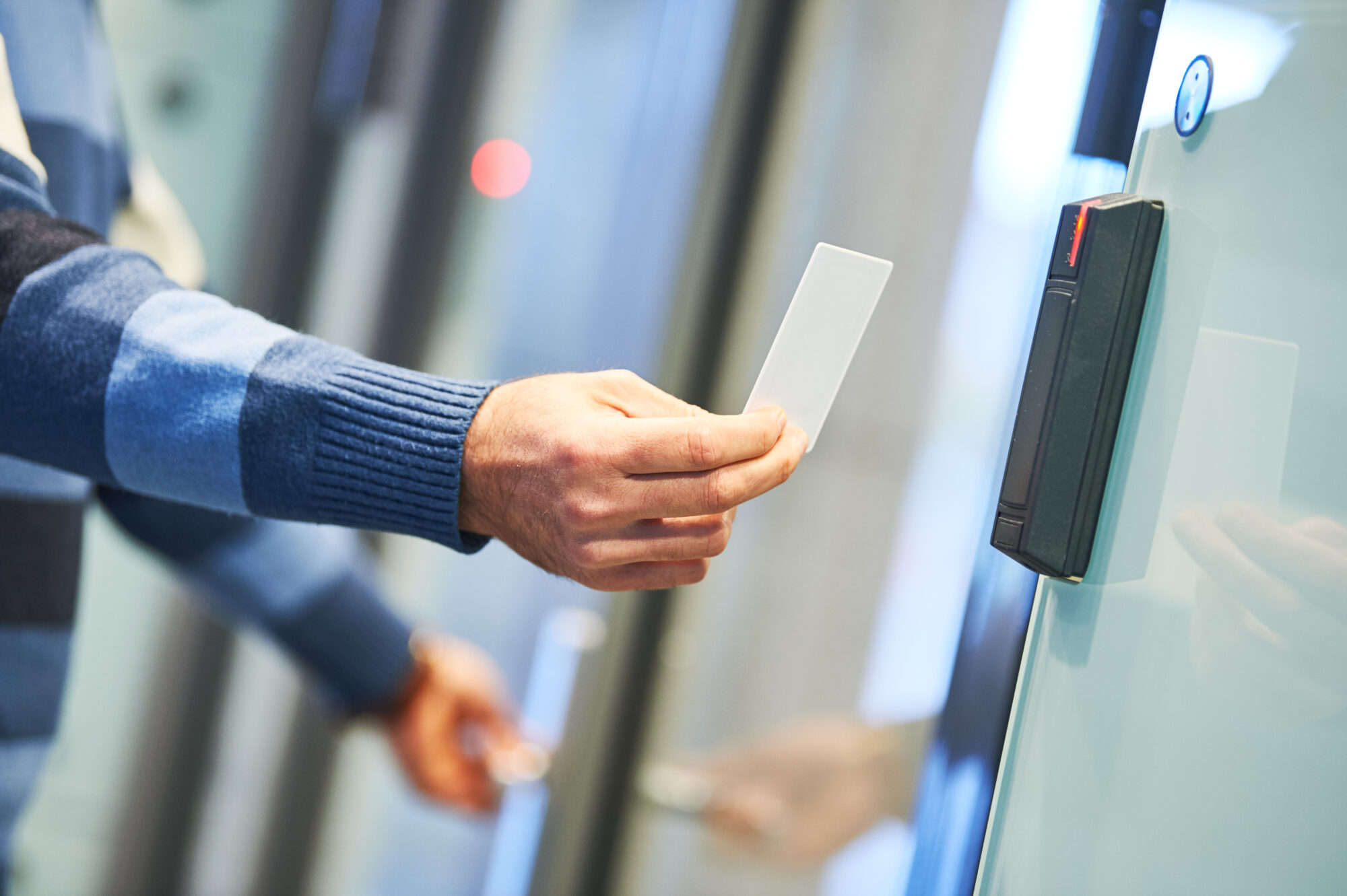
Mobile Credentials: The End of Key Cards?
Walk into almost any office, apartment building, or commercial facility today and you will still see employees rummaging through wallets for plastic key cards. That habit is starting to look as outdated as carrying a Rolodex. Across Texas and the rest of the country, businesses are quietly retiring the plastic badge and handing access duties to the smartphone already sitting in everyone's pocket.
At Nexlar Security, we work with property managers, business owners, and facility teams every week who are weighing this exact decision. The question is no longer whether mobile credentials access control will replace key cards. The real question is how soon, and what the smoothest path looks like for your building. In this guide, we break down where the technology stands today, what makes mobile access control such a powerful upgrade, and what every business owner should consider before making the move.
Why Traditional Key Cards Are Losing Ground
For decades, the plastic proximity card was the gold standard of door entry. It was cheap to print, easy to swipe, and most employees understood how to use it without any training. But the cracks in that model have widened year after year. Older proximity cards can be cloned in seconds with an inexpensive device ordered online, which exposes facilities to a security gap most owners never see coming. On top of that, industry studies suggest that roughly one in five key cards is lost or stolen every single year, which means HR and facility teams spend countless hours reordering, reprogramming, and deactivating credentials.
The plastic itself piles up in landfills, the printers need ribbons, and the locksmith is on speed dial every time someone leaves the company without returning their badge. A mobile credential access control approach removes most of these pain points in one clean motion. Instead of printing a card, you issue a digital key that lives inside the user's smartphone wallet. There is no plastic, no shipping, no printer, and no chasing down a former employee for a piece of plastic.
Security Benefits of Mobile Credentials Access Control
The security improvement is the headline reason most of our clients make the switch. A modern mobile access control system uses end to end encryption between the phone and the reader, which is a generation ahead of the unencrypted signals older proximity cards broadcast every time they pass near a sensor. Because the credential lives on a phone that is already protected by a PIN, fingerprint, or facial recognition, anyone who happens to pick up a lost device cannot simply walk through your front door. The credential is also tied to a specific user account rather than a piece of plastic that anyone can use, so accountability becomes much sharper.
There is another quiet advantage that comes with using mobile credentials for access control. If a phone is lost, stolen, or an employee suddenly leaves the company, an administrator can revoke access from a laptop in seconds. With a traditional badge, that same person might walk around with working access for days before anyone catches the gap. For multi site organizations, this real time control across every entry point is the difference between a tight security posture and a quiet, unmonitored risk that grows over time.
User Experience That Actually Feels Better
Security is the headline, but daily convenience is what makes employees fall in love with mobile access control solutions once they go live. Most people already treat their phone as an extension of their hand. They use it for boarding passes, contactless payments, gym check ins, and hotel room keys. Adding the office or apartment building to that list feels natural rather than disruptive.
In practice, an access control mobile phone setup means an employee walks up to the front door, the reader detects their encrypted credential through Bluetooth or NFC, and the door unlocks without anything ever leaving a pocket or purse. For a parking gate, the same credential can trigger entry from inside the car. For visitors, contractors, and short term staff, a temporary digital pass can be emailed in seconds and set to expire automatically the moment their work is finished. Compare that to printing a paper badge, walking it to the security desk, and chasing the same person down at the end of the day to get it back, and the difference becomes obvious.
Cost Savings That Add Up Year After Year
The cost picture is one of the most underrated reasons to move to a mobile phone access control system. The obvious line item is the elimination of plastic cards, printers, and printer supplies. Less obvious are the staff hours your administrators no longer spend programming, distributing, and recovering badges. Lost cards, which often cost several dollars each to replace once you factor in admin time, simply stop being a recurring line item on your budget.
Then there is the lifecycle math. Recent industry data suggests businesses save up to several hundred dollars per credential each year once you account for replacements, reissues, and the administrative cycle that surrounds every physical badge. Multiply that figure by fifty, two hundred, or five hundred employees and the savings begin to fund the rest of your security upgrades. Locksmith calls go down because there are no metal keys to rekey when someone leaves. Hardware maintenance goes down because modern readers have no moving parts to wear out. And because most platforms shift from a capital expense to a predictable subscription, your finance team finally gets the kind of cost clarity they rarely had with traditional systems.
How Mobile Access Control Systems Work In The Real World
A modern mobile access control system has three working parts. The first is the reader at the door, built to communicate with smartphones over Bluetooth Low Energy, Near Field Communication, or, on the most advanced models, Ultra Wideband. The second is the cloud based management platform, which is where administrators issue, schedule, and revoke credentials from anywhere with an internet connection. The third is the user's smartphone, which holds the encrypted digital key inside a secure container, often Apple Wallet or Google Wallet.
When a user approaches a door, the reader and the phone authenticate each other behind the scenes. The whole exchange takes less than a second and the door opens. Many platforms also support hands free unlock when the phone is within range, motion triggered unlock, or even tap to enter that mimics contactless payment. Multi technology readers can run mobile credentials alongside legacy cards and fobs during a transition, which means businesses do not have to replace everything in a single weekend. This is one of the reasons our team at Nexlar usually recommends mobile access control as a phased upgrade for most clients.
Industries That Are Moving First
Office buildings, multifamily properties, healthcare facilities, schools, data centers, and distribution warehouses are leading the wave. Each of these environments shares a common pain point. They have a large rotating population of employees, contractors, vendors, or tenants, and they need to grant and revoke access often. Mobile credentials for access control fit naturally into that workflow because credentials can be issued by email or text and revoked just as quickly when the relationship ends.
Retailers with multiple locations are another strong fit, since head office can now manage every store's access from a single dashboard. Homeowner associations and apartment complexes are also embracing the change because residents prefer their phones over carrying yet another fob. Across all of these industries, the move to mobile access control systems is less about chasing a trend and more about catching up to the workflows employees, residents, and visitors already expect.
Why Choose Nexlar For Your Mobile Access Control Solutions
At Nexlar Security, we have spent years helping more than a thousand businesses across Houston, Dallas, Austin, San Antonio, Fort Worth, and San Marcos modernize the way they protect their people and property. We are not just installers. We are consultants who sit with you, study your building, look at how your team actually moves through the day, and then design a mobile access control solution that fits the way you operate. We partner with the leading platforms in the industry, including Avigilon Alta, OpenPath, Kisi, Kantech, ButterflyMX, and Brivo, so the recommendation you receive is shaped by your needs rather than a single vendor's catalog. Our technicians are licensed, background checked, and trained to install and maintain every layer of the system, from the readers at the door to the cloud platform that runs them. We back our work with an A plus BBB rating, five star diamond monitoring, and a customer first approach that has earned us the trust of national enterprises, government agencies, and small businesses alike.
Frequently Asked Questions
Q. What is mobile credential access control and how is it different from a key card?
A mobile credential access control system replaces the plastic card or fob with an encrypted digital key stored on a smartphone or smartwatch. Instead of swiping or tapping a card, the user holds their phone near the reader. The credential is tied to a specific user account, protected by the phone's own biometrics, and can be issued or revoked remotely in seconds, which is something a plastic card simply cannot offer.
Q. Are mobile access control systems actually safer than traditional ones?
Yes. Traditional proximity cards transmit unencrypted signals and can be cloned with inexpensive devices. Mobile access control systems use strong encryption, mutual authentication between the device and the reader, and a second layer of biometric protection on the phone itself. For most businesses, the move to mobile is a meaningful security upgrade, not just a convenience play.
Q. What happens if an employee's phone battery dies?
Most modern mobile phone access control system platforms include a power reserve mode that keeps the credential active for several hours after the screen appears dead. We also recommend keeping a small inventory of backup cards or fobs for true emergencies, which works smoothly because multi technology readers can accept both formats.
Q. Do we have to replace all of our current readers at once?
Not at all. Multi technology readers are designed to run mobile credentials alongside legacy cards and fobs during a transition. Most of our clients begin with one or two high traffic doors and expand from there. This is one of the easiest ways to test mobile access control with a small group before rolling it out building wide.
Q. How long does it take to deploy a mobile access control solution?
For a small to mid sized facility, a typical rollout takes a few weeks once hardware and licenses are in place. Larger multi site projects can stretch longer, but the phased approach means employees rarely notice a disruption to their daily routine. Our team handles the design, installation, training, and ongoing support from start to finish.
Q. Will mobile credentials work for visitors and contractors?
Yes, and this is one of the strongest reasons to switch. A visitor can receive a temporary mobile credential by email, open it on their phone, and use it for the duration of their visit. The credential expires automatically when the access window closes, which removes the need for the security desk to chase down a returned badge.
Q. Can mobile credentials be used at parking gates and elevators?
Absolutely. The same credential that opens the front door can also trigger parking gates, elevator floor restrictions, and amenity room access. Tying everything to one mobile identity simplifies the experience for users and gives administrators a single dashboard to manage every entry point.
Follow Us